Laand for Slack
Hire from Slack, without losing the plot.
A private channel for every role you're hiring for, one card per candidate that updates itself, and your team's say in a tap. This is how I'd set it up for a team of twelve.

A note from Victor
When we were five people, hiring happened in DMs. Someone would forward a profile, two of us would react with an emoji, and three weeks later nobody remembered why we'd passed on the person we now wished we'd met.
In a small company the founders still make the call, and they live in Slack. So Laand comes to Slack: each role gets its own channel, each candidate gets one card that keeps itself current, and the reasoning stays attached to the person.
Nothing here replaces judgement. It just makes sure the judgement happens in the open, on the same facts, before the good candidates go elsewhere.
Victor
Set it up
An owner or admin of your Laand workspace, in about a minute.
- 1In Laand, open Settings › Integrations and press Connect Slack.
- 2Pick your Slack workspace and press Allow. Laand makes a private channel for every live hunt, and DMs you that it's done.
- 3Ask each teammate to type this once, in any channel. It links their Slack to their Laand account and adds them to every hunt channel:
/laand link
Your first week
What happens after you connect, in the order you'll see it.
- 01
Start a hunt from any thread
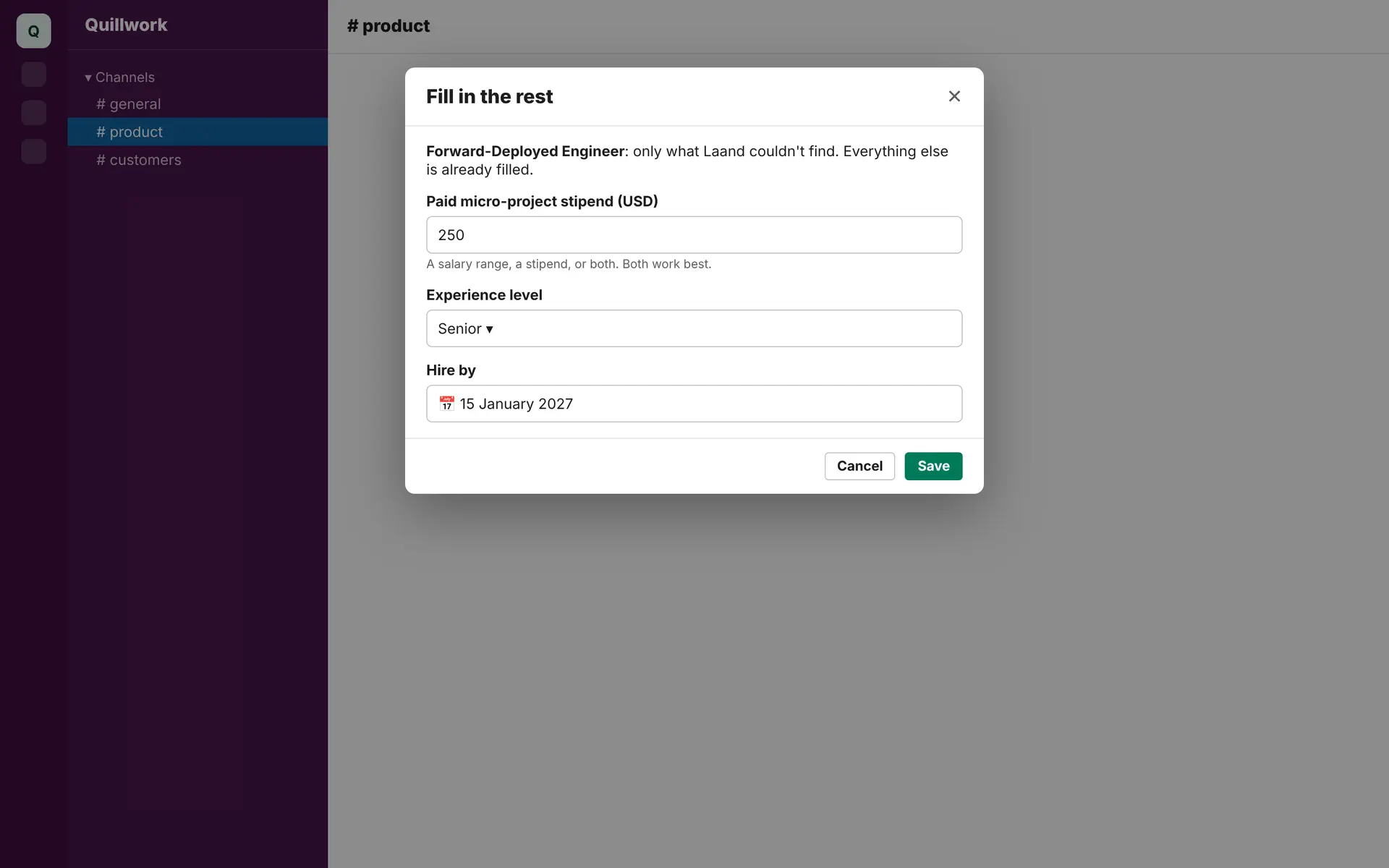
Where the conversation about a role already is, type @Laand hire a <role>. Laand reads the thread, fills the Target Parameters from what your team already said, and opens a small window asking only for what it couldn't find.
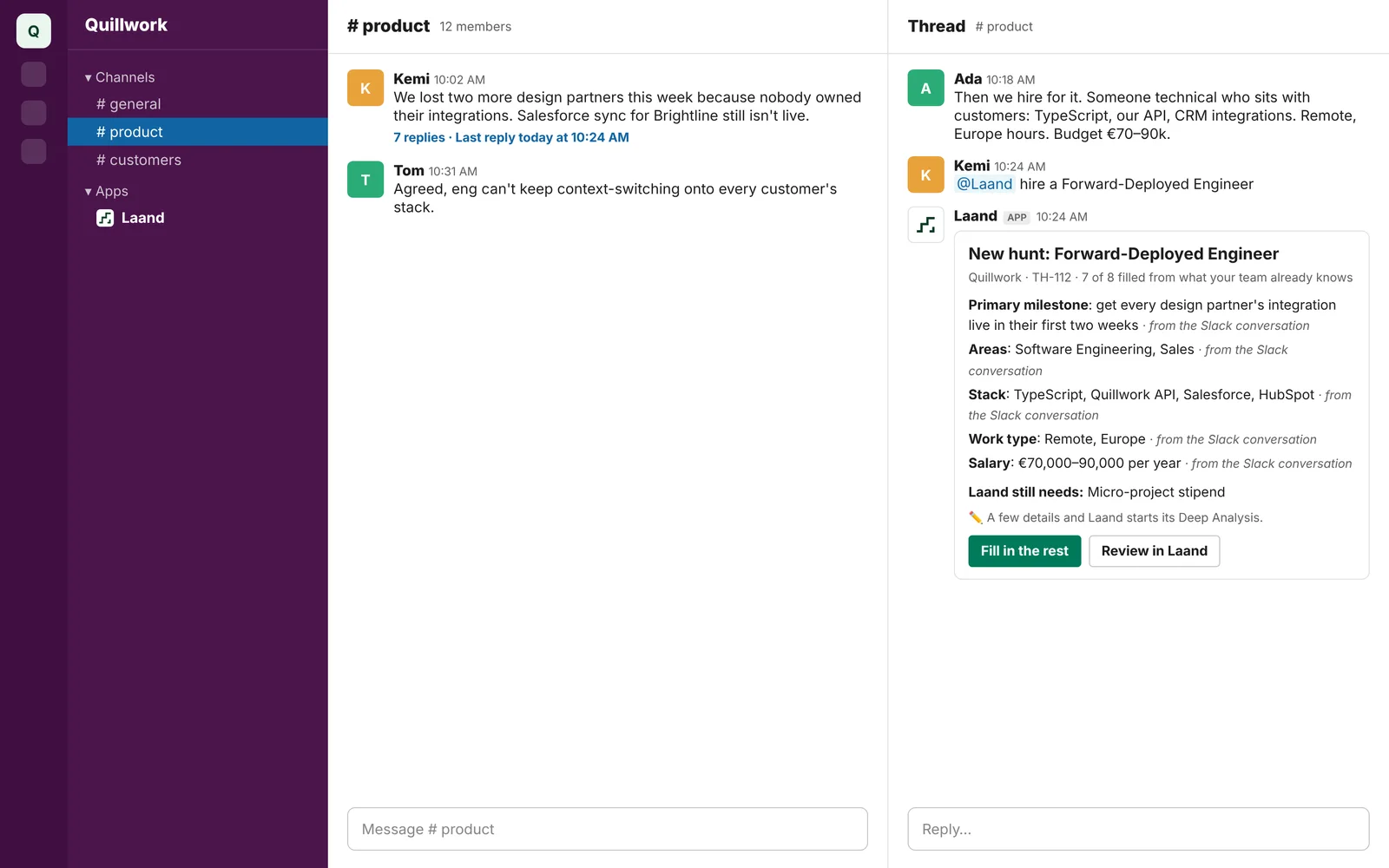
The thread is the brief. Laand starts from what your team already knows. - 02
Fill in only the rest
Usually that's the stipend for the paid micro-project, the experience level and a hire-by date. Everything else is already there, with where it came from, and you can change any of it in Laand.
- 03
Review, then publish
A few minutes later Laand posts back in the thread: the analysis is done, with the core problems it found and the paid micro-projects it drafted. Press Micro-projects to check them, then Publish. Publishing is free; your Job Link goes live and Laand starts finding people.
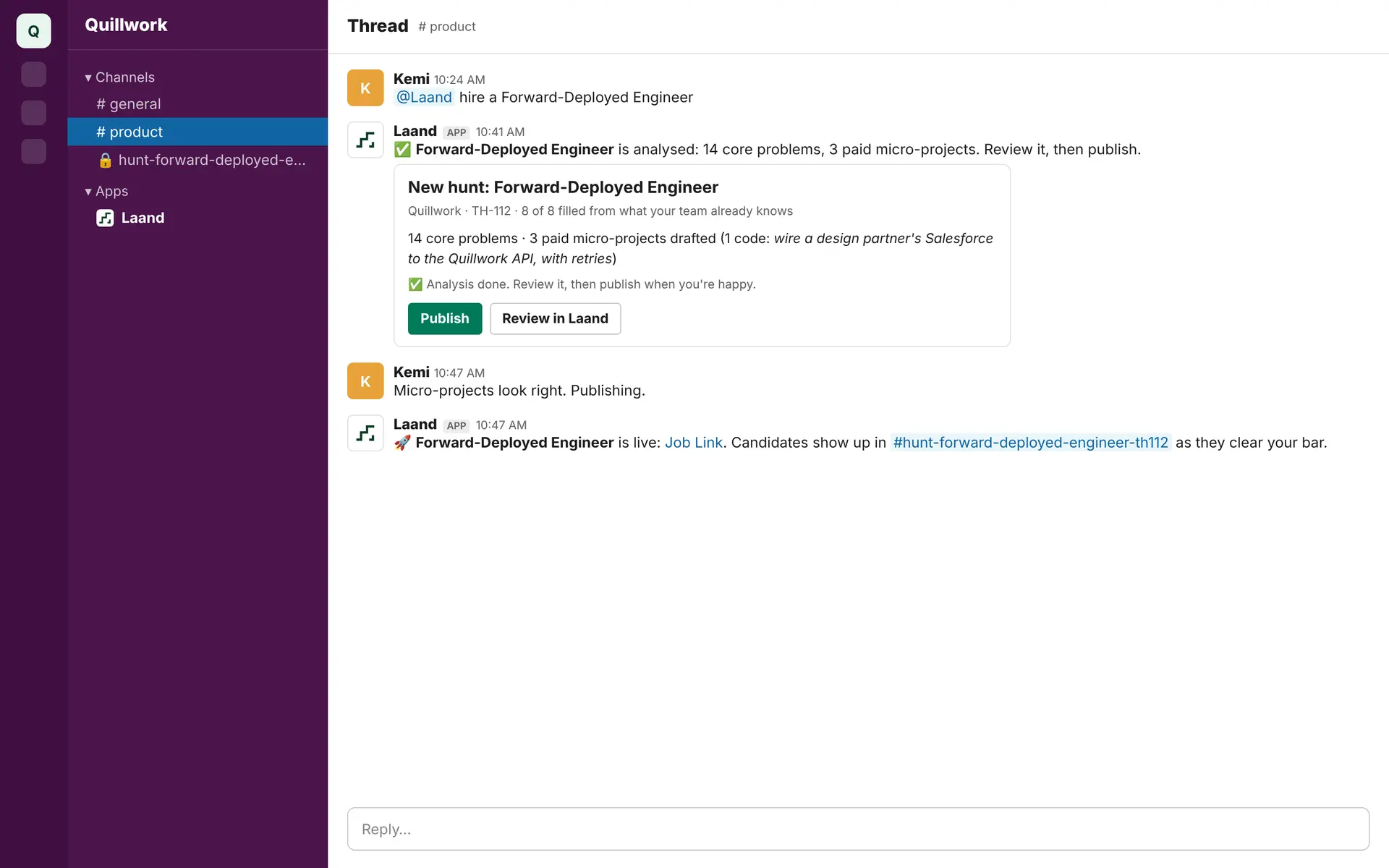
From a message to a live role, without leaving the thread. - 04
The first channel
The first time a hunt has news, Laand opens #hunt-<role>-<code>, invites everyone who linked their account, and posts a short welcome with a link back to this guide. Channels are private on purpose: once you unlock someone, their name and contact details appear there.
- 05
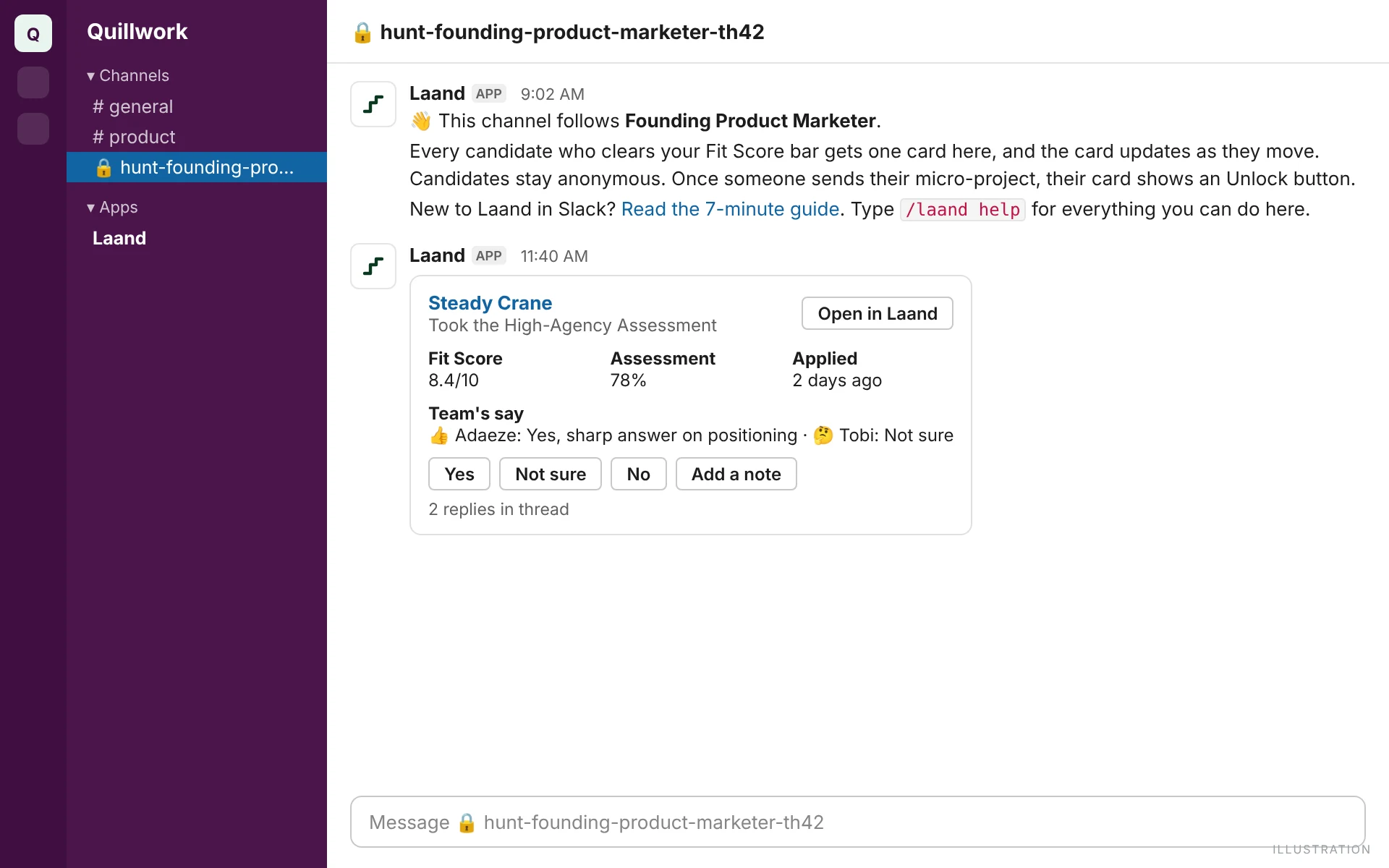
Your first card
A card appears when someone clears your Fit Score bar, with a made-up name, their Fit Score and, later, their assessment score. Below-the-bar applicants never clutter the channel. Anyone on the team can tap Yes, Not sure or No and add a note; the card shows everyone's say.
- 06
Set up the paid work, from Slack
Type /laand projects to see the micro-projects Laand scoped for a role: Offer or Turn off each one, and Allow AI or Make it no AI. Have something specific in mind? Type /laand project <role>: <what you want them to do>, and Laand drafts a fair, finishable brief from your sentence and offers it to talent.
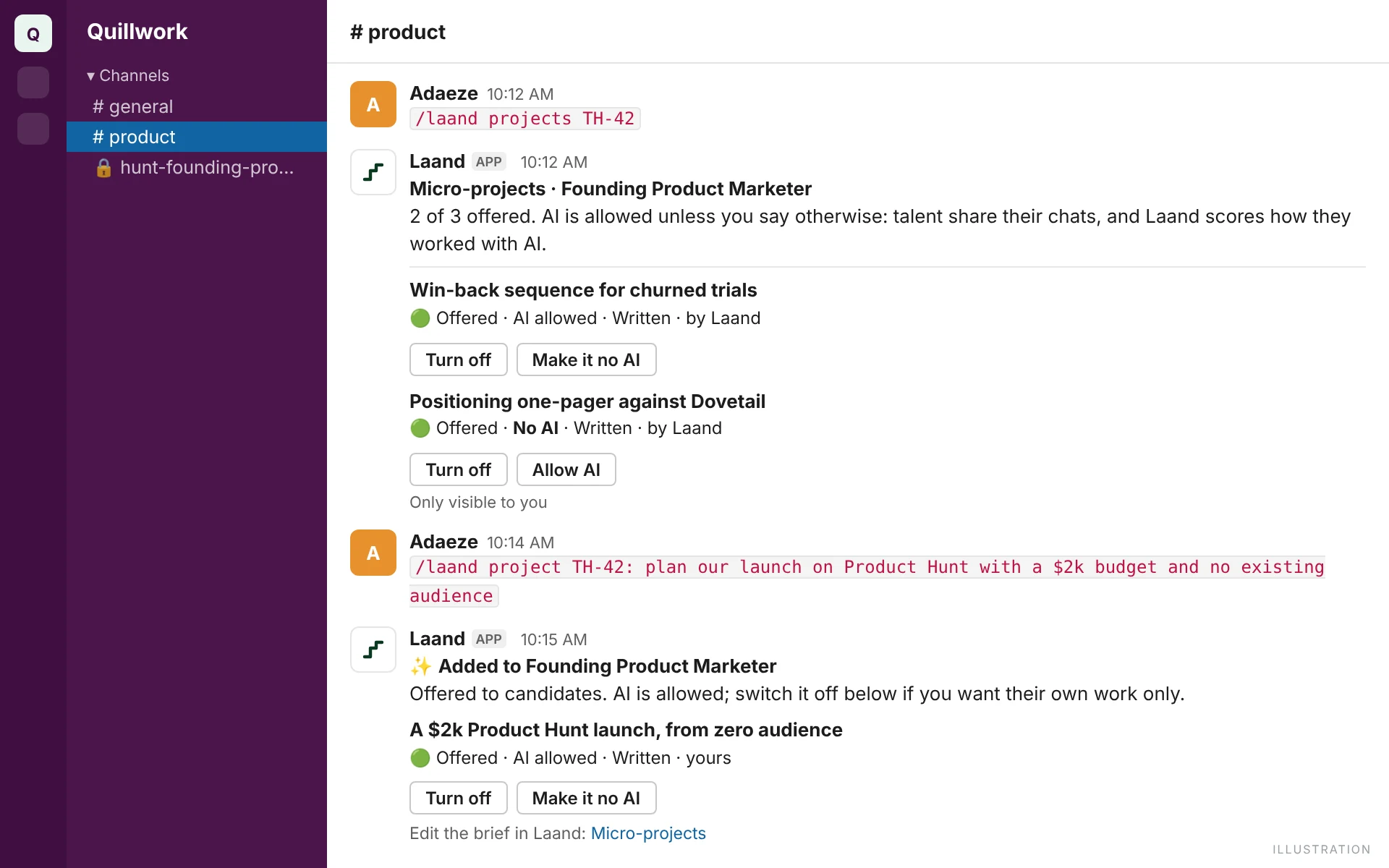
Your own micro-project, from one sentence, without leaving Slack. - 07
The work comes in
When a candidate sends their micro-project, the card shows Laand's score and the opening of its review, and an Unlock button. Unlock them and the card fills in: their name, contact details, the full review with the hire/no-hire call, and what to ask them. Who did what goes in the card's thread.
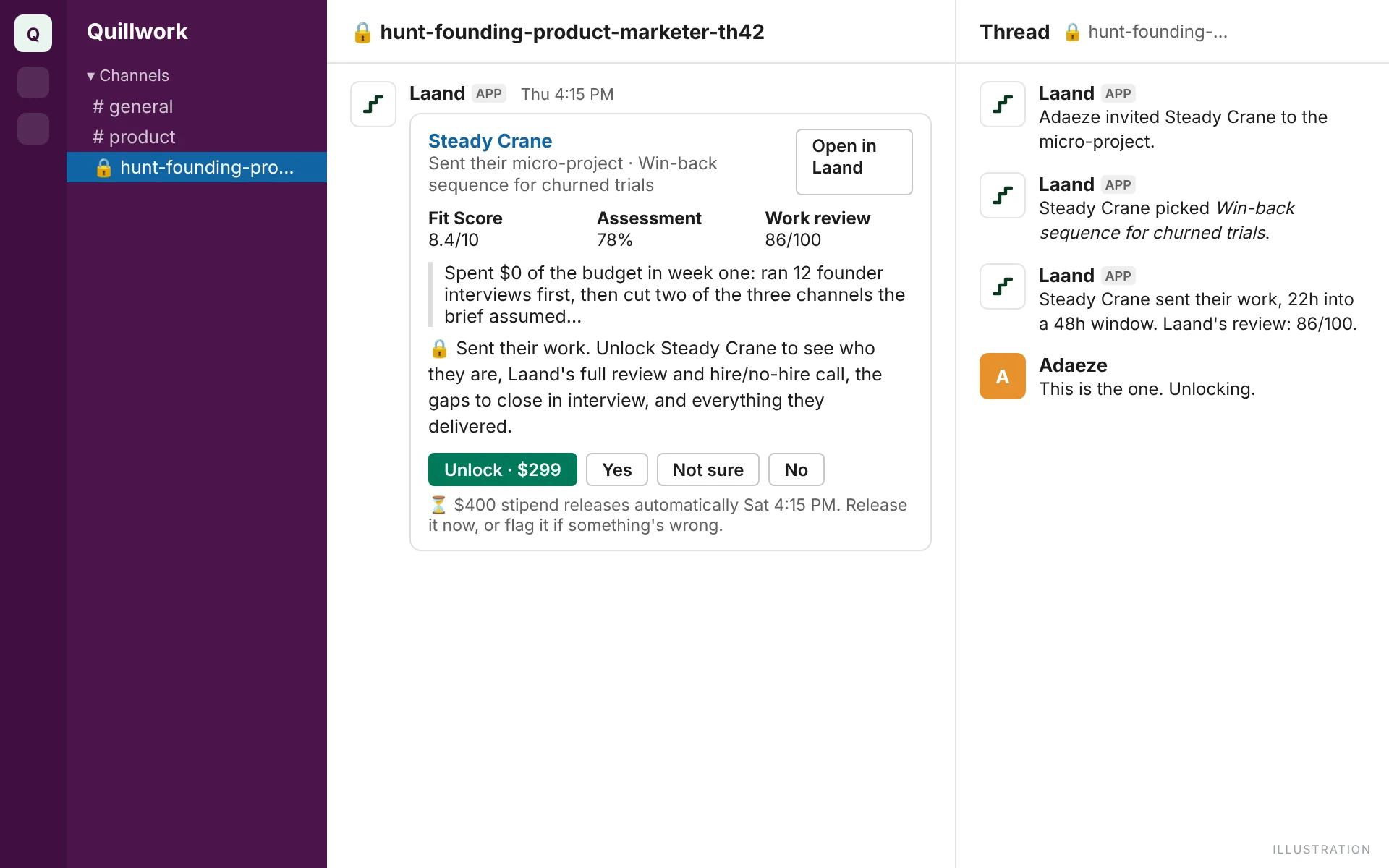
Anonymous until you unlock. Then everything, in the same card. - 08
Ask, and get nudged
Type /laand ask with any question about your hiring ("where do our best candidates come from?") and get the same numbers as Analytics, privately. Laand also posts in a card's thread when something has waited on you for a day: an assessment to review, a stipend about to release, a deadline coming up.
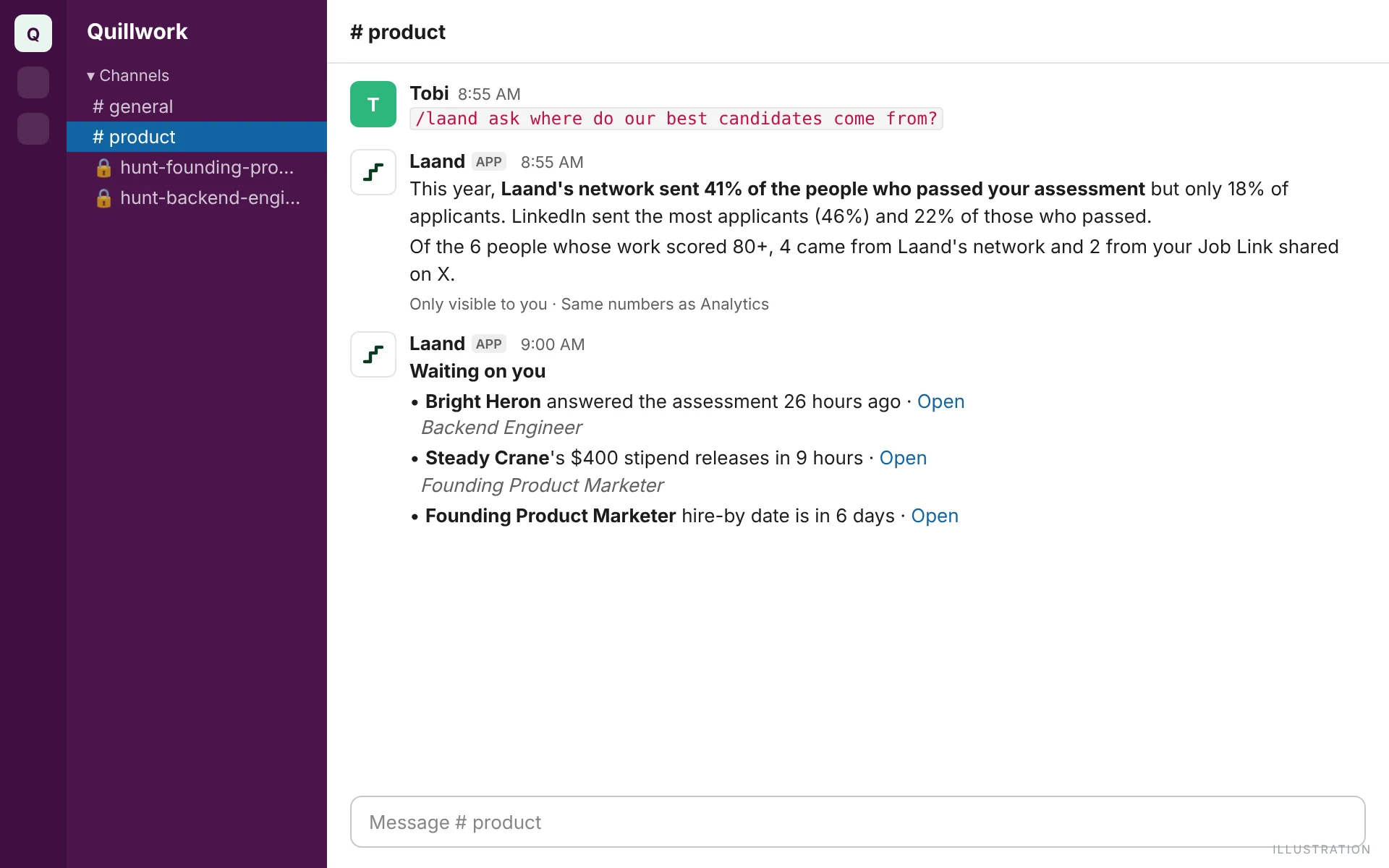
Answers from your own data, and only the nudges that matter.
How small teams run it
For teams under 20, where the founders still make every hire.
Put the decision-makers in the channel, and nobody else
Owners and admins can act from Slack; members can read everything and leave their say. For most teams under 20, that's the founders plus whoever the hire will work with.
Say Yes or No on every card within a day
The best people are rarely on the market for long. A tap and a one-line note is enough, and it's what Laand reads back to you when you compare candidates.
Write one micro-project yourself
Laand scopes good ones from your milestone. But one written from a problem you actually have this quarter tells candidates more about the job than any description can.
Use the Laand tab on Monday mornings
The Laand tab in Slack shows live counts for every open role and everything waiting on you. Two minutes, once a week, keeps the whole pipeline moving.
What it never does
- Nothing identifying is ever posted before you unlock someone. Slack keeps what's posted, so Laand never posts a name early.
- Paying to unlock, inviting someone to a paid micro-project and marking the hire happen in Laand. Slack gets the link.
- Laand only ever links a Slack person to a Laand account after they confirm it themselves. Never by matching emails.
- Disconnect any time in Settings › Integrations. Laand uninstalls itself from your Slack and deletes its token.
Questions
- Do candidates see anything in Slack?
- No. Slack is your team's side only. Candidates work in Laand.
- Can I release a stipend from Slack?
- Yes, owners and admins can release it early or flag it during its 48-hour hold, right from the card.
- Can I create a micro-project from Slack?
- Yes. /laand project <role>: <what you want them to do>. Laand drafts the brief and offers it. Use /laand projects to turn any project on or off, or set its AI rule.
- What does /laand help show?
- Every command: hunts, status, stage, talent, waiting, ask, projects, project, link.
- Is it free?
- Connecting Slack is free. You pay Laand per candidate you unlock, as everywhere else.
Hiring this quarter?
Start a Talent Hunt and meet people who've already done the work.