Your hiring, inside your AI agent.
Connect Laand to Claude, Codex, Cursor or ChatGPT. Ask about your pipeline, and pull submitted work into your agent to review, run and test.
https://laand.me/mcp
What you can ask
Everything you see in Laand, plus the work itself: once you unlock a candidate, their submission lands in your agent.
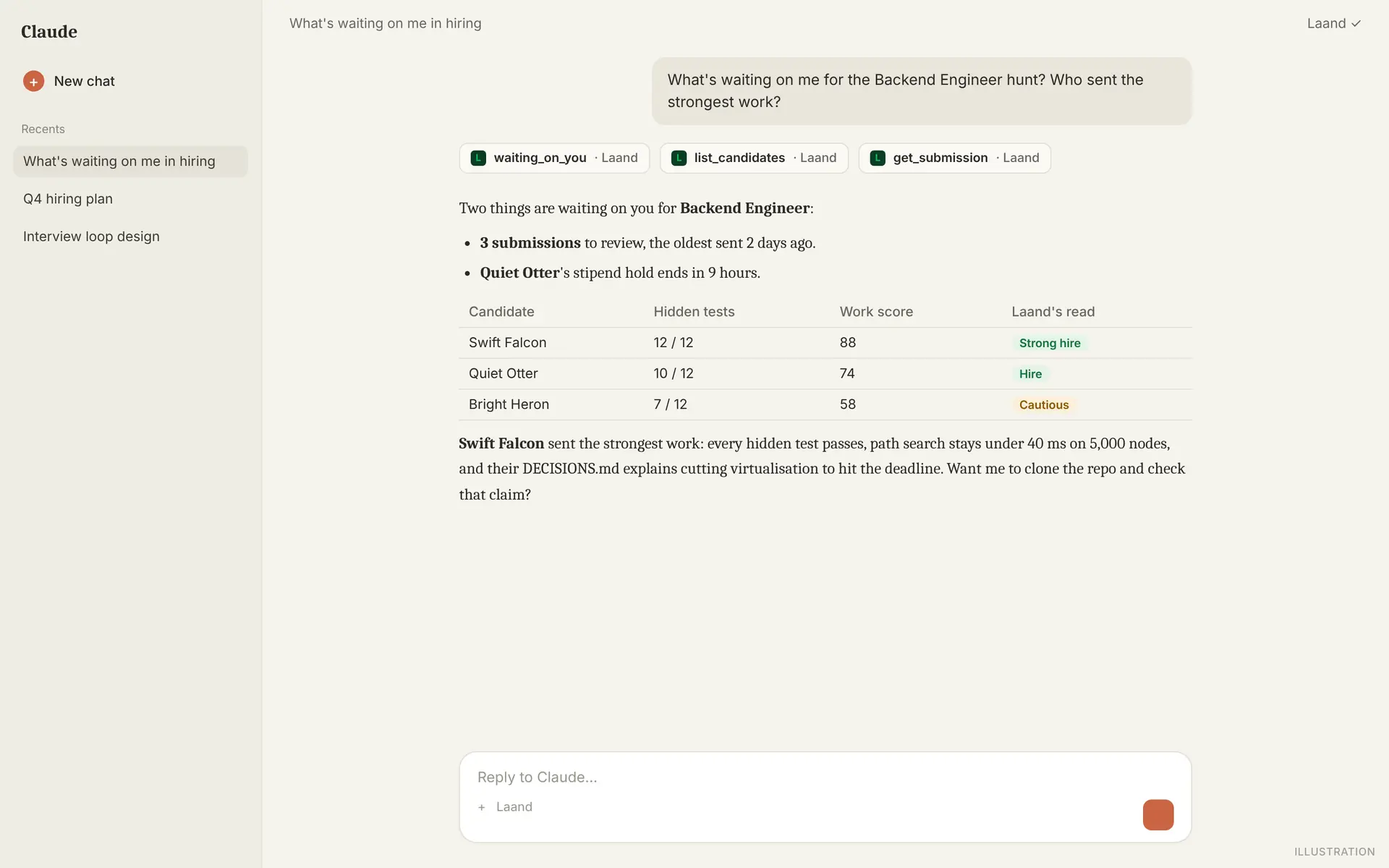
- "Which Backend candidates are waiting on me?"
- "Pull submitted micro-projects, clone the repo, run the tests and show me the weak spots."
- "Compare the top three submissions and draft interview questions."
- "Where do our best candidates come from?"
Set it up in two minutes
Sign in with your Laand company account and press Allow. Also in Integrations › AI agents.
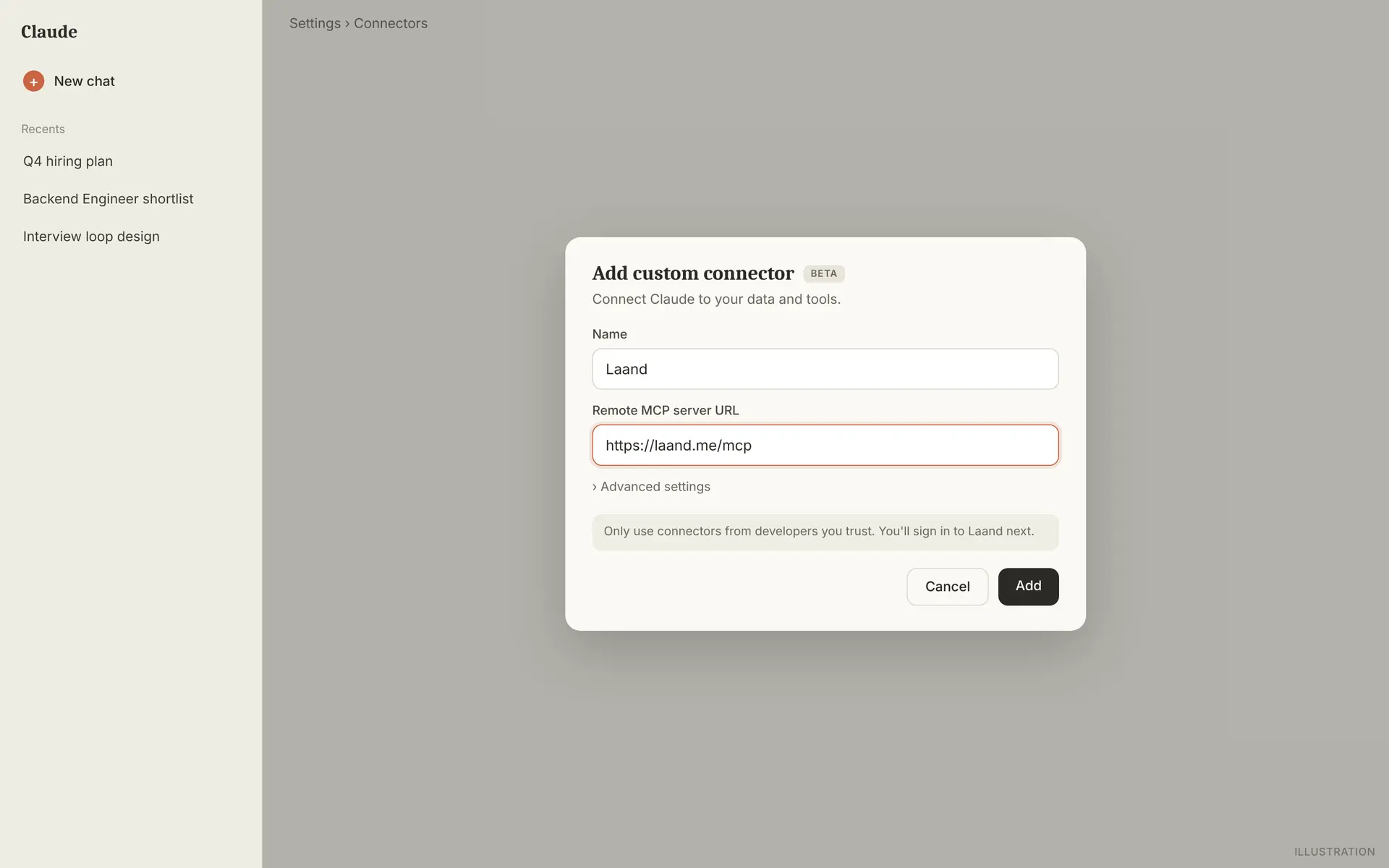
- In Claude (web or desktop): Settings › Connectors › Add custom connector.
- Name it Laand and paste this URL:
https://laand.me/mcp
- Connect, then sign in to Laand with your company account and press Allow.
What your agent can do
Thirteen tools, with the same roles as Laand and Slack.
| Tool | What it does | Who |
|---|---|---|
list_hunts | Your hunts, with candidates per stage. | Everyone |
get_hunt | One hunt: milestone, analysis, problems and micro-projects. | Everyone |
list_candidates | Candidates in a hunt, optionally by stage. | Everyone |
get_candidate | Scores, stage, stipend, team's say, recommendation. | Everyone |
get_submission | A submission: brief, review and, once unlocked, the work itself (text or a repo to clone). | Everyone |
waiting_on_you | Decisions waiting on your team, oldest first. | Everyone |
ask_hiring_data | Ask about your hiring data. Same numbers as Analytics. | Everyone |
leave_opinion | Your Yes / Not sure / No, with a note. | Everyone |
invite_to_micro_project | Invite to an unpaid micro-project. | Owners and admins |
move_to_final_stage | Move a submitter to the final stage. | Owners and admins |
remove_from_final_stage | Take someone out of the final stage. | Owners and admins |
release_stipend | Pay a stipend before its 48-hour hold ends. | Owners and admins |
flag_stipend | Stop a stipend during its hold, with a reason. | Owners and admins |
The same rules as Laand
Anonymous until you unlock
Your agent sees what you see: a made-up name and scores until you've settled the fee and the candidate has submitted.
The work arrives on unlock
The full write-up, or a read-only git clone of the code repo. Clone access covers one repo and expires within the hour.
It acts as you
Each teammate connects their own agent, with their own role. Remove someone and their agents lose access at once.
Money and the hire stay in Laand
Paying the fee, paid invites and marking the hire happen in Laand. Your agent gets the link.
OAuth, no API keys
Sign in and press Allow. Tokens renew hourly and are stored only as fingerprints. Disconnect any time.
On the record
Agent actions show as yours "from an AI agent", in Laand and in Slack.
Questions
- Which apps work?
- Any app that connects to remote MCP servers with OAuth, including the five above.
- What does it cost?
- Nothing to connect. A submission reaches your agent when you unlock its candidate, as in Laand.
- Only for engineering roles?
- No. Written work arrives as text, code as a repo. Every role, every hunt.
- Can my agent create hunts?
- Not yet. Hunts, micro-projects and fees are set up in Laand.
- Is our data used to train AI?
- No. Same rules as the rest of Laand: Security
For agents: this guide as plain text at /docs/mcp.md.