MCP recruiting: what it means when your AI agent can hire, and what it should never do alone
The Model Context Protocol lets Claude, ChatGPT and your coding agents call a hiring platform directly. Here's what that unlocks, and where the guardrails go.

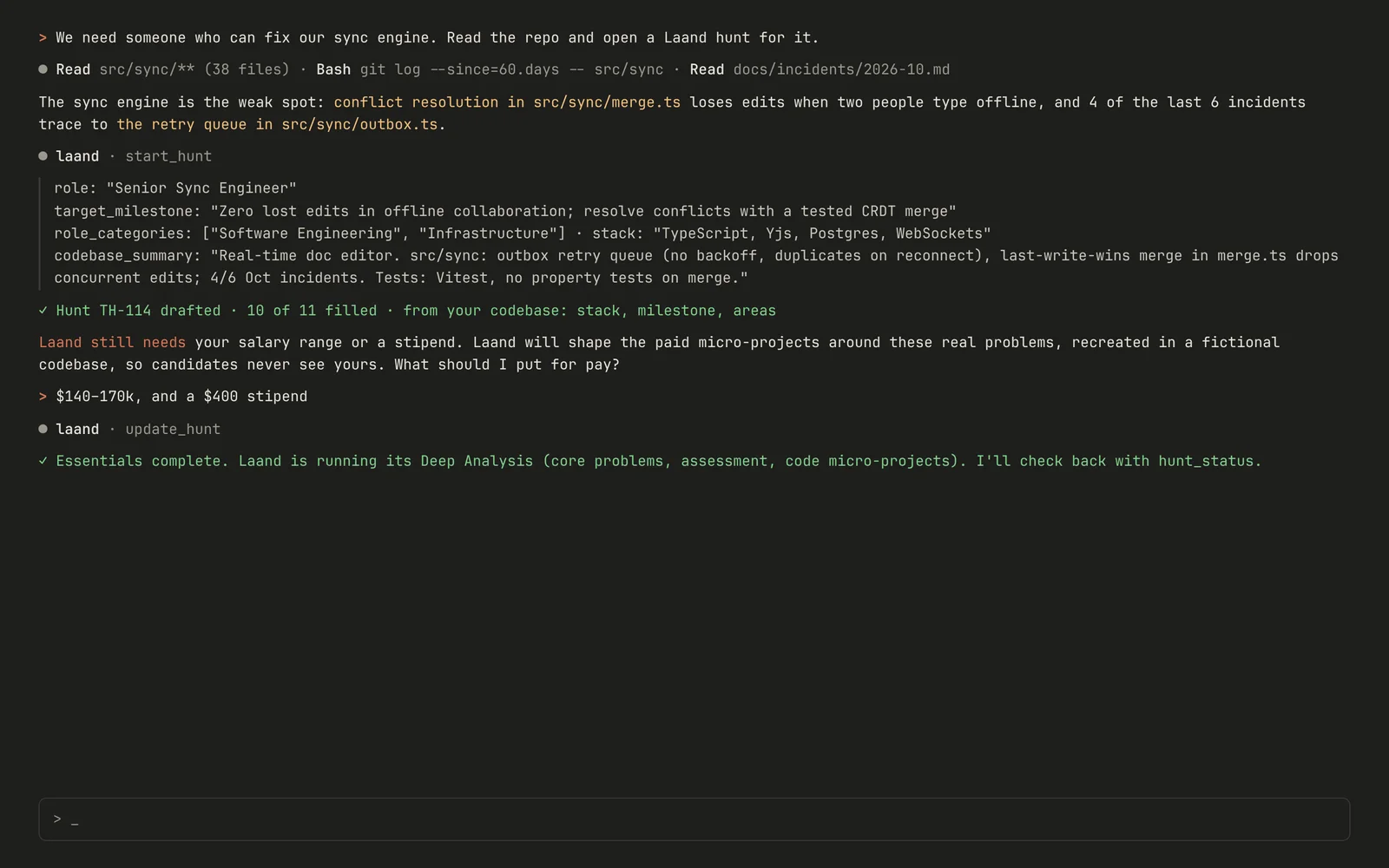
It's 9:15 on a Monday. You're a technical founder, and you're in Claude Code, deep in the onboarding service. The TODO list at the top of the file has grown to fourteen items, and you've finally admitted you need help.
A year ago, that admission would have meant opening a hiring tool, writing a job description from scratch, and losing the morning.
Instead you type: "Start a hunt for someone to own this onboarding service. Use what you can see in the repo."
Your agent reads the code, notices the stack, the test coverage and the half-finished integrations, and calls Laand. Thirty seconds later it tells you the role is drafted, which parameters it filled and from where, and asks you two things it couldn't know: the budget and when you need someone by.
That's MCP recruiting. Not an AI that hires for you, but your own AI, the one that already knows your company, able to use a hiring platform the way a teammate would.
What is MCP?
MCP (Model Context Protocol) is an open standard that lets AI applications connect to outside tools and data. An MCP server exposes a set of tools (actions with clear inputs and outputs) and an AI client like Claude, ChatGPT, Claude Code, Codex or Cursor can call them on your behalf, after you've signed in and approved the connection.
Think of it as a universal adapter between AI agents and the software your company uses.
What is MCP recruiting?
MCP recruiting is using MCP to connect AI agents to recruiting software, so the agent can take hiring actions directly: starting a role, reading candidate data, reviewing work and updating your team's decisions.
The difference from "AI in a recruiting tool" is direction. Instead of a hiring tool with a chatbot inside it, your agent, with all its context about your company, code and documents, reaches out to the hiring tool.
Why it matters for AI-native teams
Your agent already knows the job. It's read the codebase, the strategy doc and last week's Slack thread. That's the job description, already written.
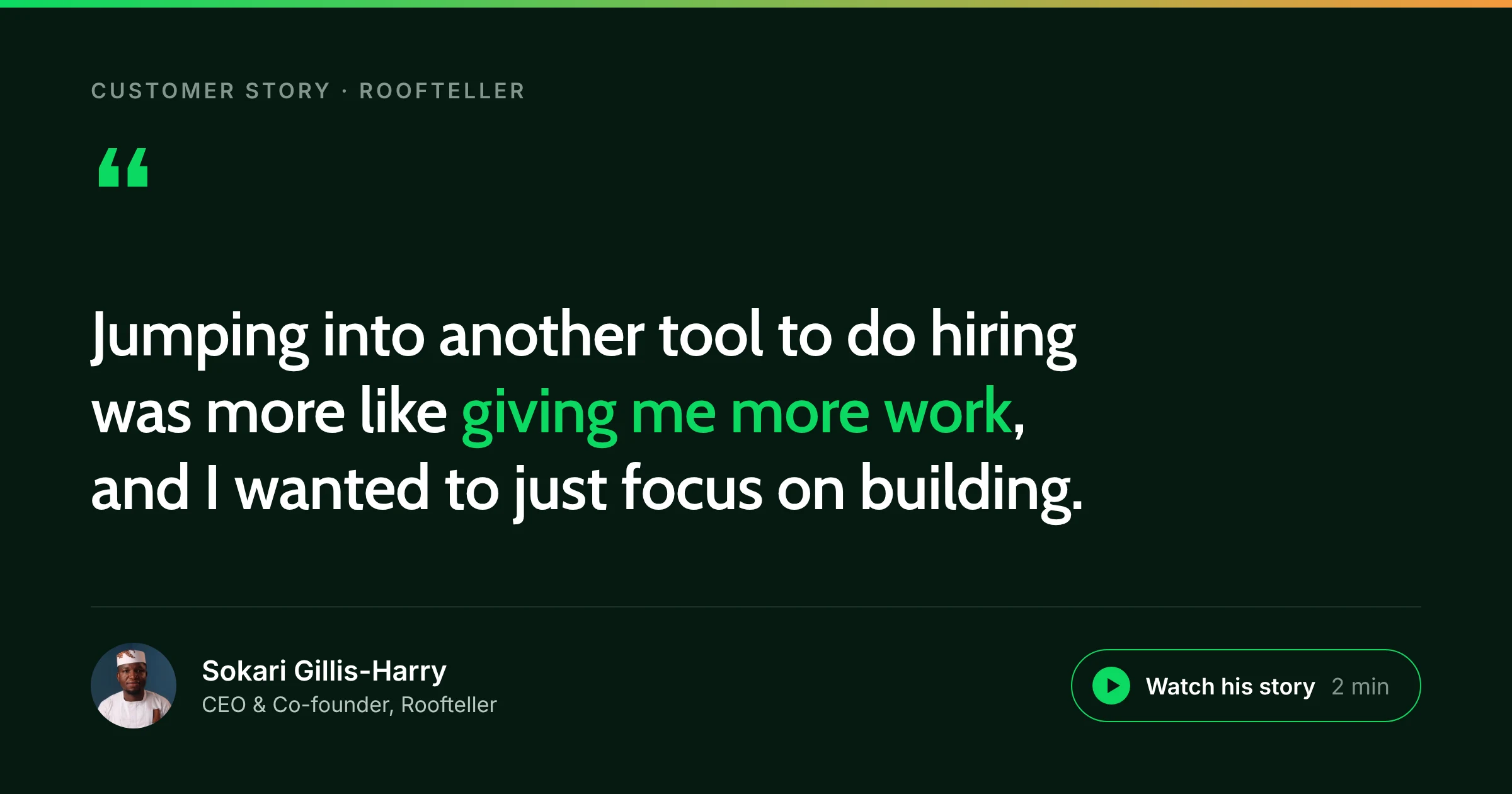
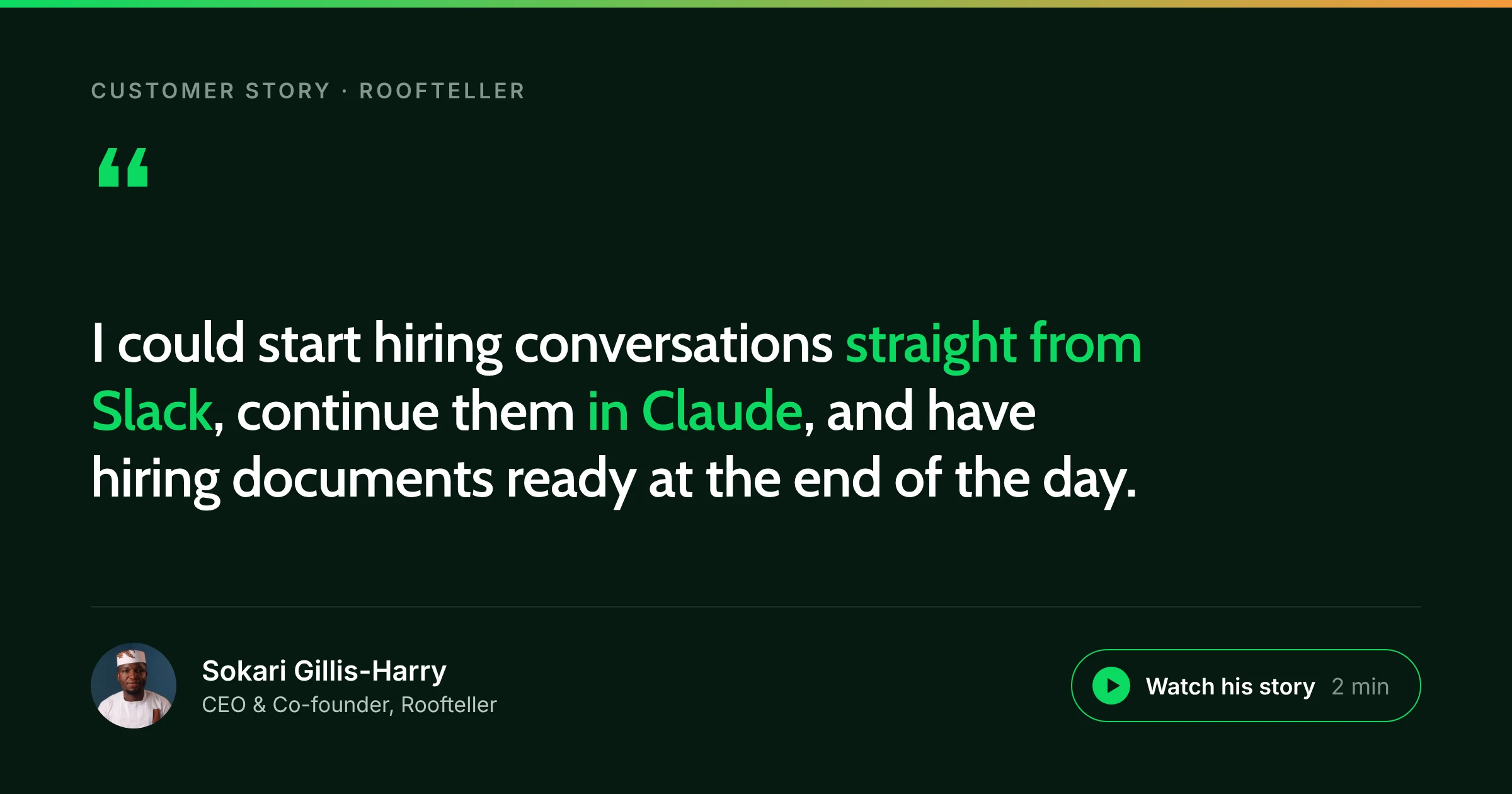
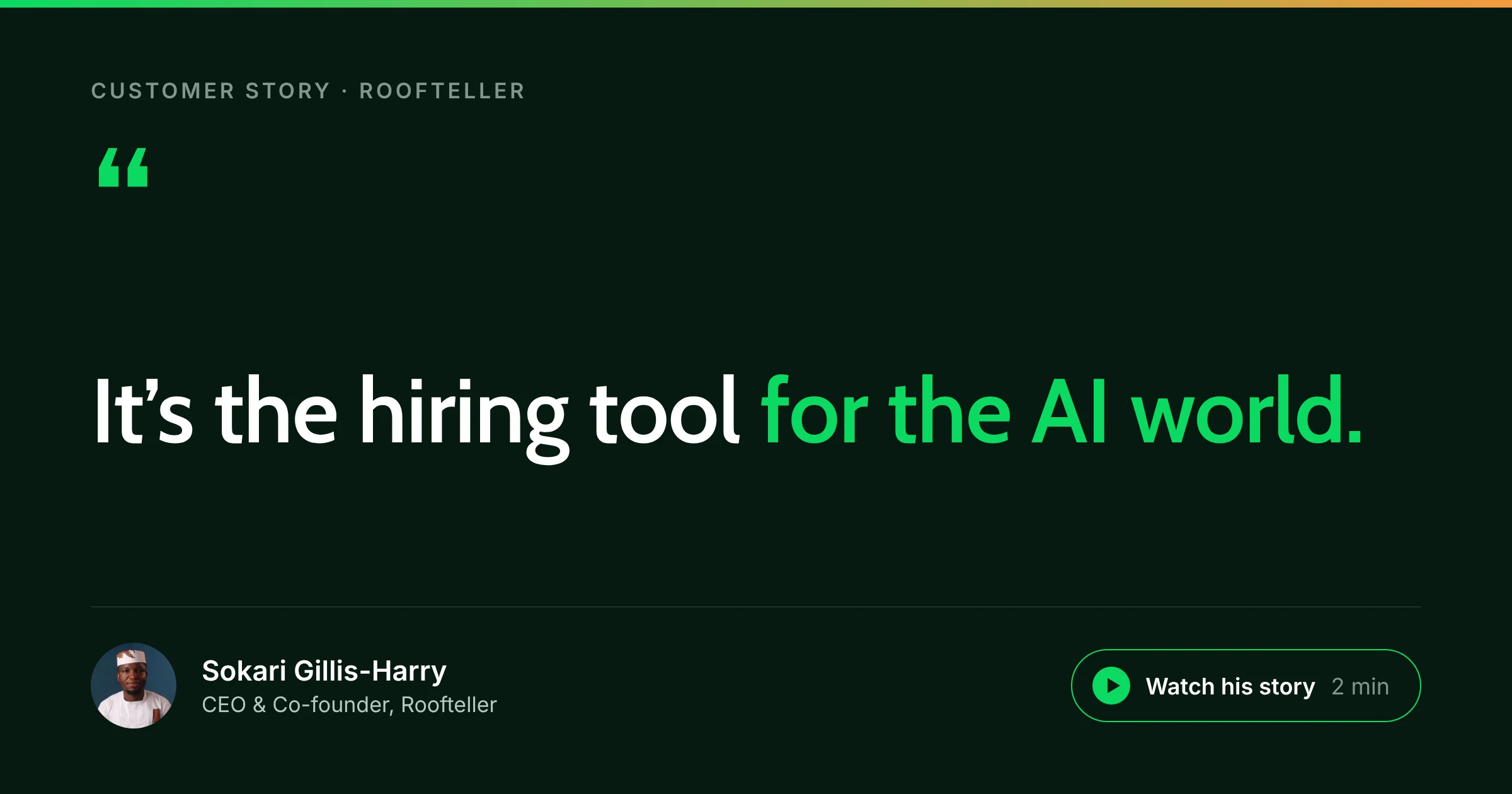
No new tab. Sokari Gillis-Harry, founder of Roofteller, put the problem plainly:
Agents are good at the tedious parts of hiring. Checking where candidates are stuck, comparing three submissions, running a candidate's code, reminding you what's waiting on you.
What an agent should and shouldn't do
This is the most important design question in MCP recruiting. Here's how we drew the line at Laand.
| Let the agent do it | Keep a person in the loop |
|---|---|
| Start a role from context, and say where each value came from | Publish a role (confirm first) |
| Ask only for what it couldn't find | Inviting candidates to paid work on stipend roles (commits money) |
| Read the role, the analysis and hire-or-agent | Releasing a stipend early (sends real money; confirm first) |
| List and summarise candidates (anonymous) | Unlocking a candidate's identity (a person pays, in Laand) |
| Read submitted work and Laand's review | Marking the hire |
| Run a candidate's code and find weak spots | |
| Leave the team's Yes / Not sure / No | |
| Answer questions about your pipeline | |
| Add a micro-project from a sentence; turn AI on or off for it |
The principle: agents gather, draft, summarise and check. People spend money, reveal identities and choose.
Laand's MCP tools
Laand's MCP server lives at https://laand.me/mcp. Once connected, your agent can use these tools:
| Tool | What it does |
|---|---|
start_hunt | Starts a role from a title, what you know and a brief (plus a codebase summary); fills the rest and says where each value came from |
update_hunt / hunt_status | Fills in what's missing; shows what's still needed and whether it's analysing, ready or live |
get_hunt / list_hunts | The role in full, including hire or agent, core problems and micro-projects |
publish_hunt | Puts an analysed role live (free); confirm first |
list_micro_projects / set_micro_project | Shows the paid projects; offer or withdraw each, allow or forbid AI |
create_micro_project | Adds your own project from a sentence or two |
list_candidates / get_candidate | Candidates and their scores, anonymous until unlocked |
get_submission | The submitted work and Laand's review |
leave_opinion | Your Yes / Not sure / No, shown in Laand and Slack |
waiting_on_you | Decisions your team is blocking, oldest first |
ask_hiring_data | Plain-language questions about your hiring numbers |
unlock_candidate | Returns the link to unlock; never charges anything itself |
invite_to_micro_project, move_to_final_stage, release_stipend, flag_stipend | Stage moves and stipend actions, for owners and admins, with confirmations |
Full reference: Laand MCP docs.
What MCP recruiting looks like day to day
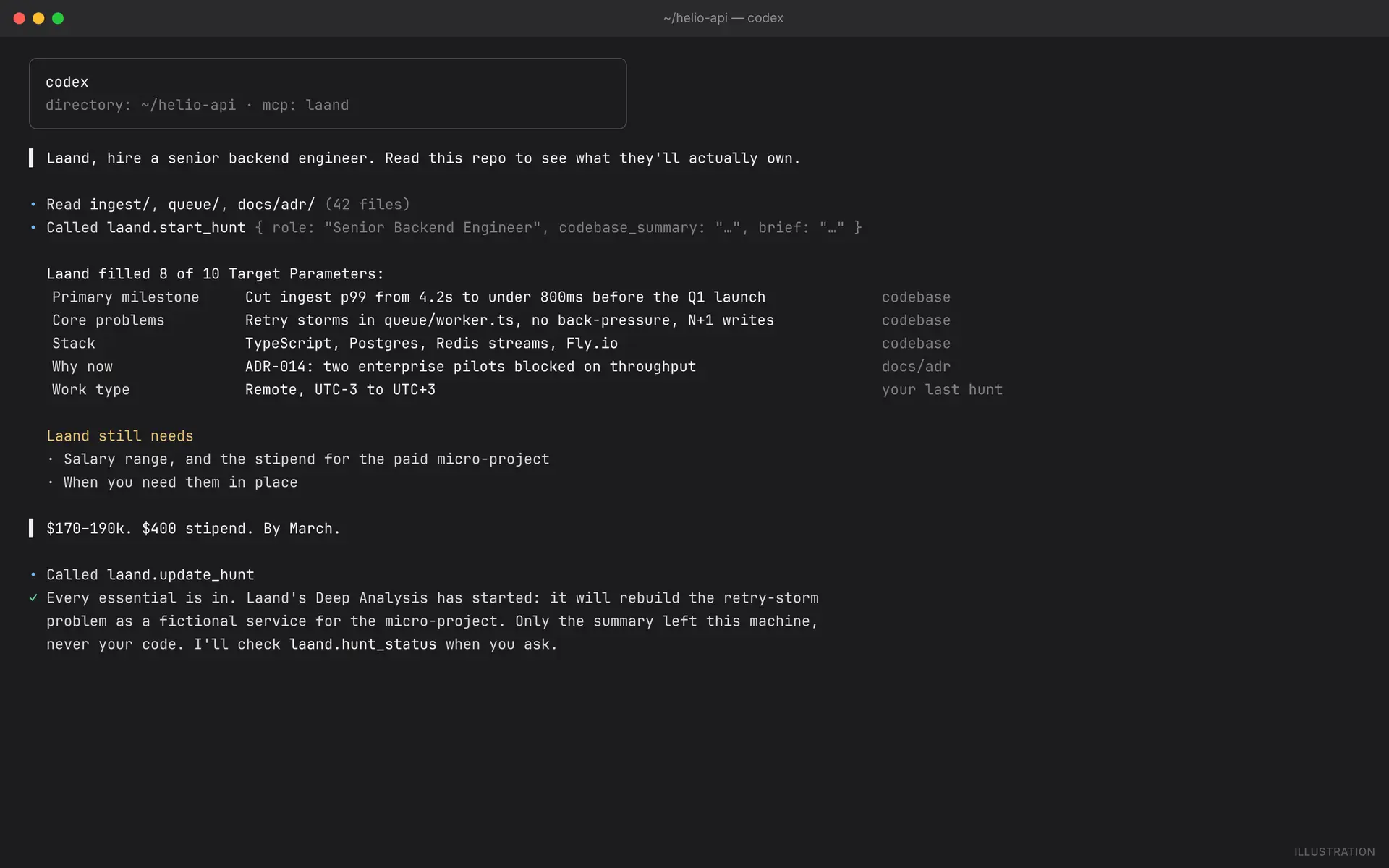
Monday: start the role from the code
As above: Claude Code, Codex or Cursor reads the repo and starts the hunt. With GitHub connected to Laand (read-only), Laand also keeps a short codebase summary for future roles.
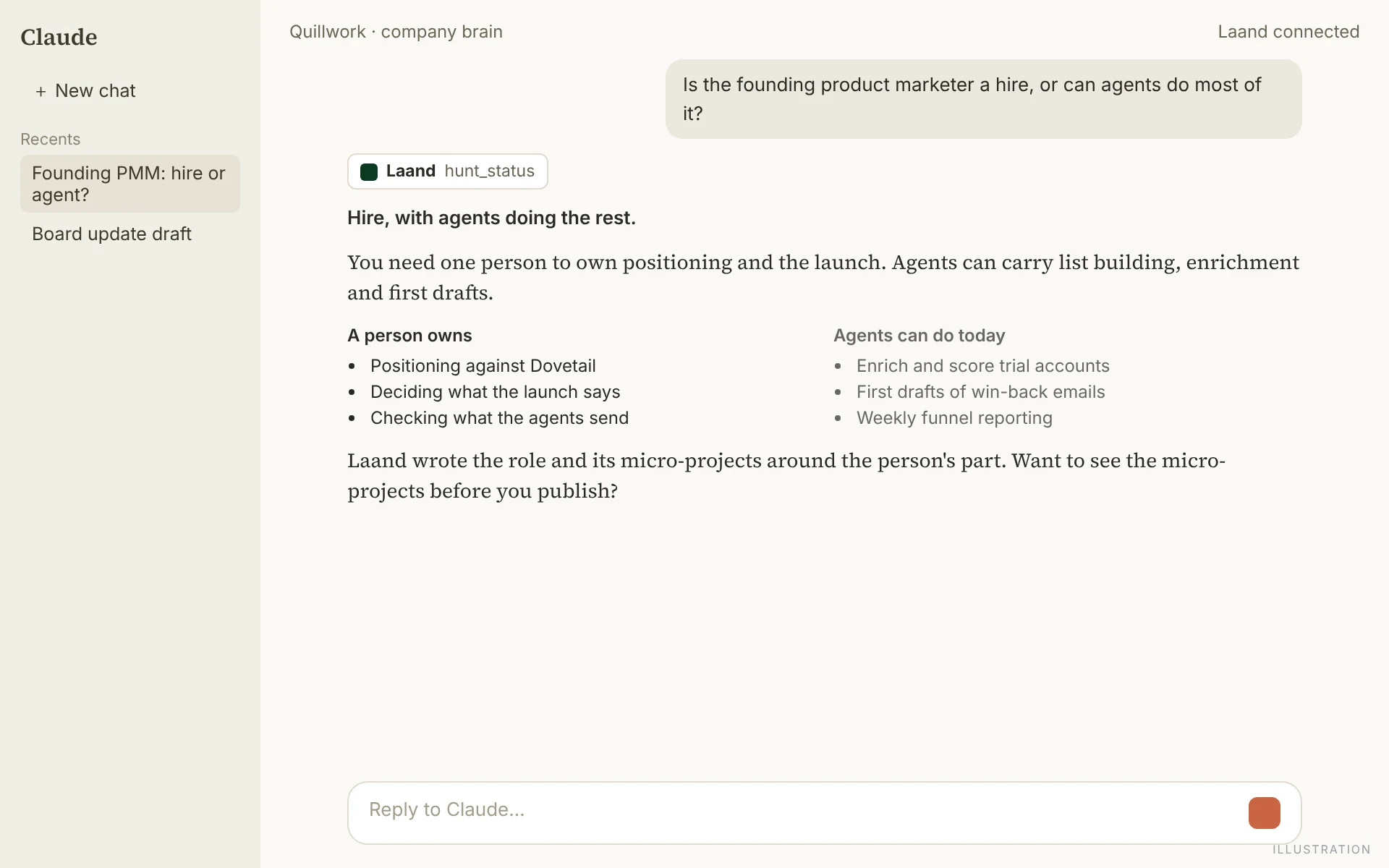
Tuesday: get a straight answer to hire or agent
Ask your agent what Laand concluded. It reads the analysis: what agents can already do, what a person must own, and the micro-projects built around the person's part.
Wednesday: shape the paid work
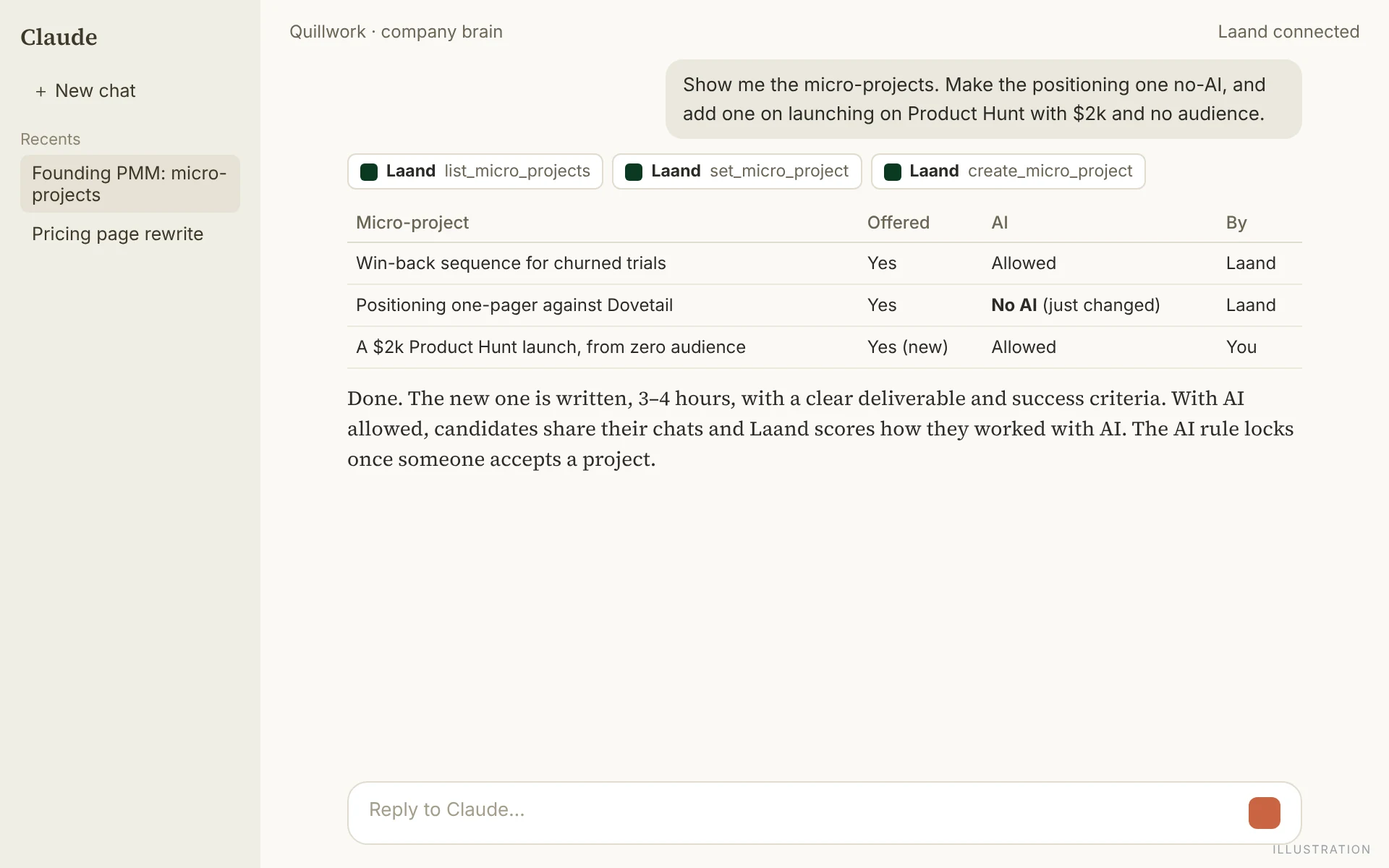
"Show me the micro-projects. Turn AI off on the debugging one, and add one where they write the migration plan for our billing table."
The following week: review the work
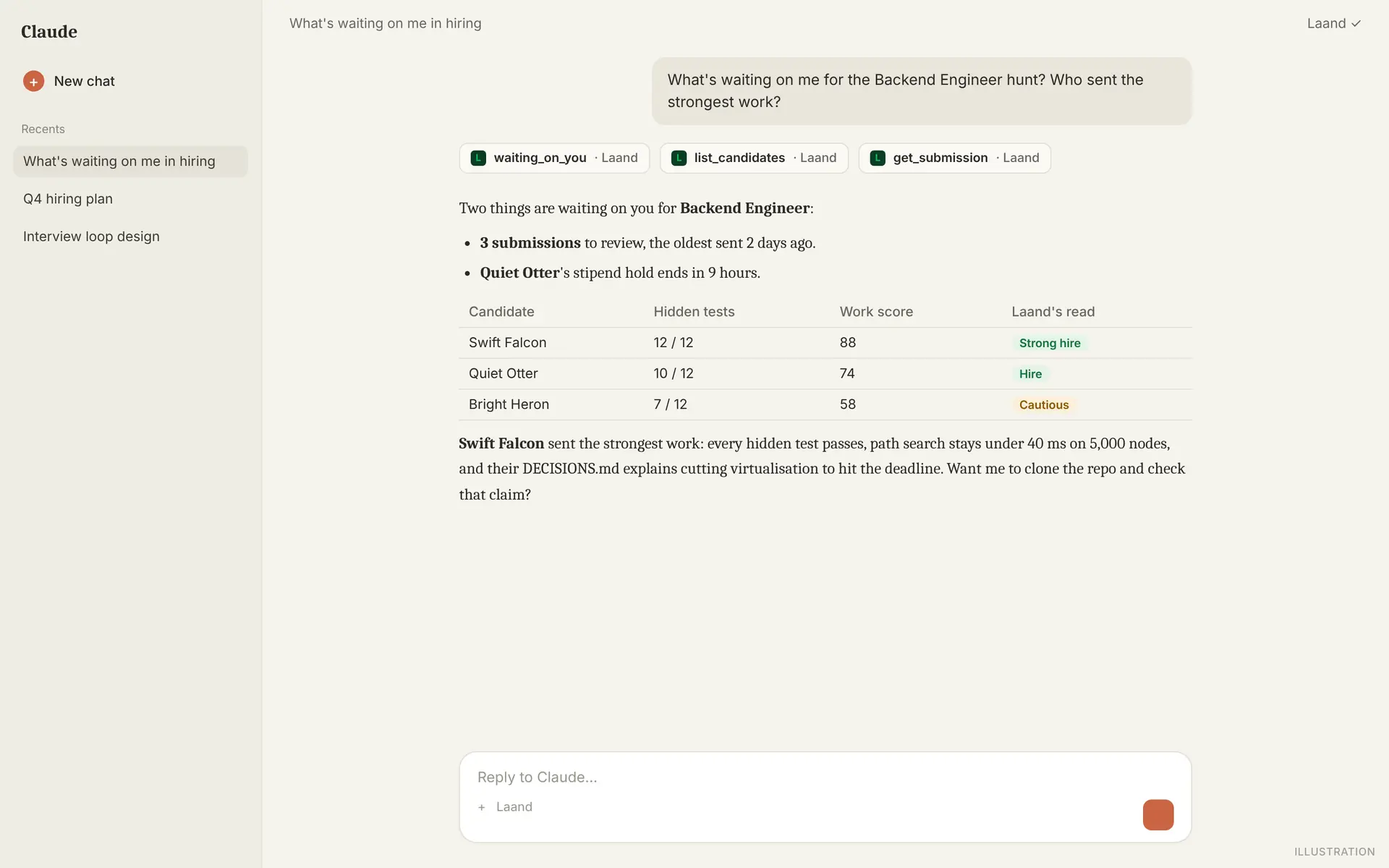
"What landed overnight? Whose work is strongest?" Your agent answers from real submissions, scores and hidden-test results.
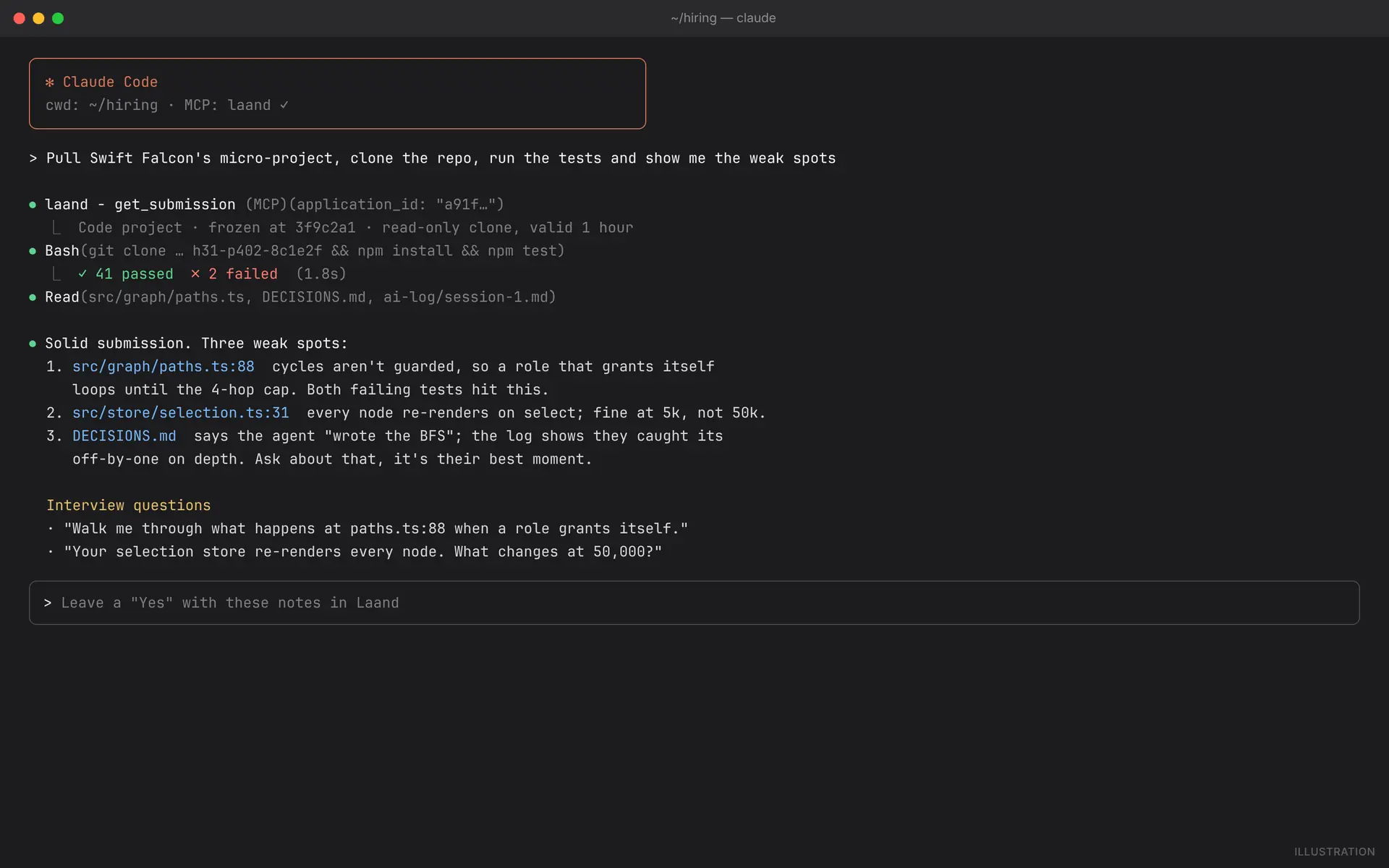
Then: "Run the top two submissions and tell me where they'd break."
Decision day: you decide, then unlock
Your team says Yes, Not sure or No (from the agent, Laand or Slack). When you've chosen, your agent gives you the unlock link; you pay $750 in Laand and see who they are.
MCP recruiting vs other ways to use AI in hiring
| AI inside an ATS | AI recruiting agency | MCP recruiting (Laand) | |
|---|---|---|---|
| Whose AI | The vendor's | The agency's | Yours |
| Context it has | What's in the ATS | Your brief | Your code, docs and conversations |
| Where you work | The ATS | Email or Slack | Claude, ChatGPT, Claude Code, Codex, Cursor, Slack |
| Can it run candidates' code | No | No | Yes, with your coding agent |
| Money and identity actions | In the ATS | The agency | Always confirmed by a person, in Laand |
How to set up MCP recruiting with Laand
- Create a company account on Laand.
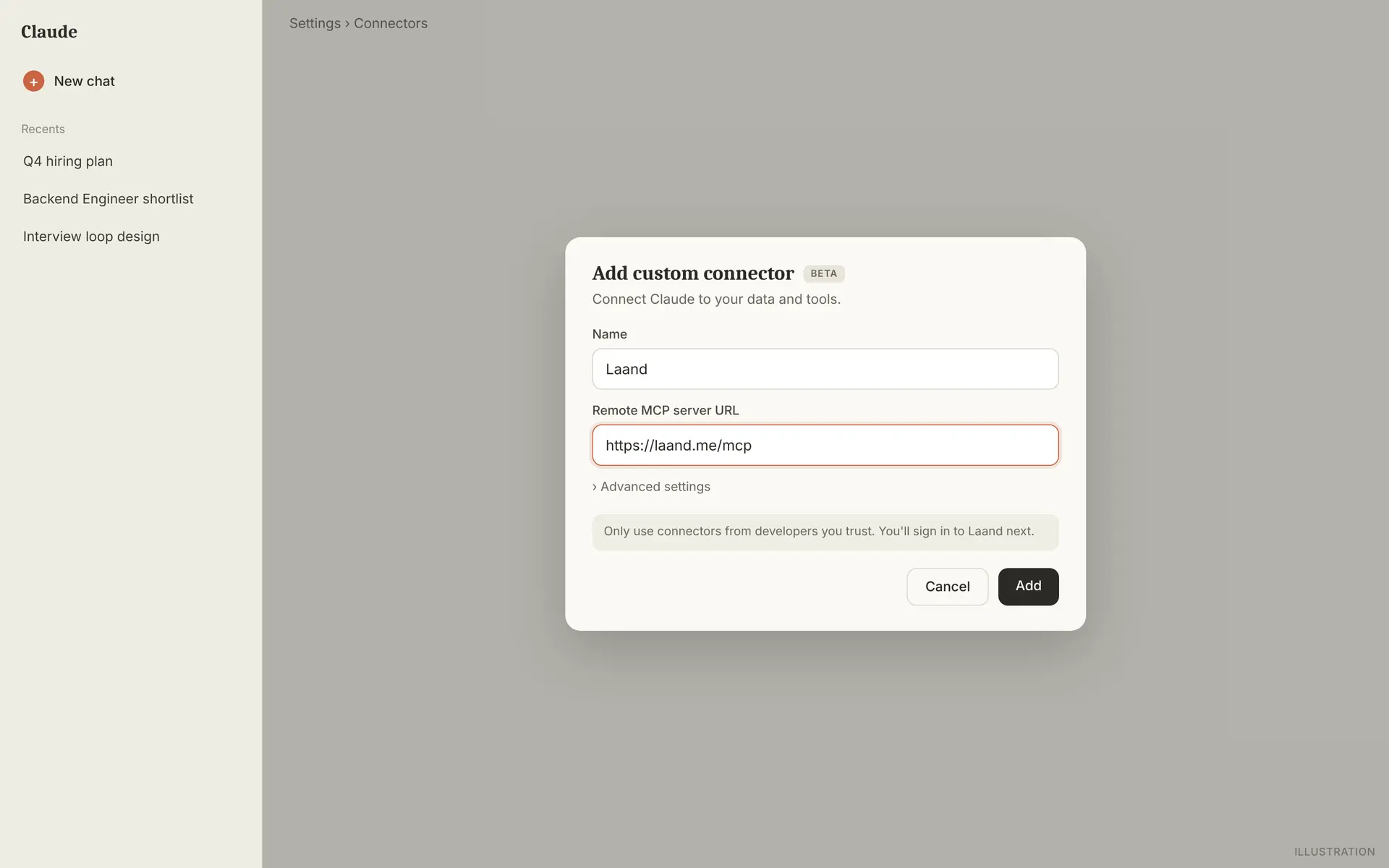
- Add the connector in your AI app: in Claude or ChatGPT, add a custom connector with the URL
https://laand.me/mcp; in Claude Code, Codex or Cursor, add it as an MCP server. - Sign in when prompted (OAuth). You choose the workspace.
- Ask your agent to start a hunt, or what's waiting on you.
Step-by-step guides: Claude, ChatGPT, Claude Code, Codex, Cursor.
The founder's view
How MCP recruiting works, in plain words
There are three pieces:
- The client is the AI app you're using: Claude, ChatGPT, Claude Code, Codex or Cursor.
- The server is the hiring platform's MCP endpoint, for Laand
https://laand.me/mcp. It describes a set of tools: what each does, what it needs, what it returns. - The connection is authorised with OAuth: you sign in to Laand, pick your workspace, and the client gets a token limited to what your role allows.
When you ask "what's waiting on me?", the client decides to call waiting_on_you, the server checks who you are and what you can see, and returns the answer. The client then explains it in plain language. Nothing about your candidates is baked into the AI model; it's fetched, live, when you ask.
The guardrails that make it safe
Good MCP recruiting is mostly about what the tools won't do.
| Guardrail | How Laand applies it |
|---|---|
| Anonymity by default | Candidates are a made-up name to the agent until a person unlocks them |
| No spending by agents | unlock_candidate returns a link; a person pays in Laand |
| Confirmation for consequential actions | Publishing and releasing a stipend early ask the agent to confirm with you first |
| Role-based permissions | Stage moves and stipend actions are for owners and admins only |
| Money-committing moves stay in Laand | Inviting candidates to paid work on stipend roles happens in Laand |
| Rate limits | Plain-language data questions are limited per person per hour |
| Provenance | start_hunt says where each value it filled came from |
If you're evaluating any recruiting MCP server, ask for this table. If the vendor can't fill it in, be careful.
MCP recruiting for each person on a small team
| Person | Where they work | What they ask their agent |
|---|---|---|
| Technical founder | Claude Code, Codex, Cursor | "Start a hunt for whoever owns this service." "Run the finalists' code." |
| CEO | Claude or ChatGPT | "Should this be a hire or agents?" "Whose work is strongest?" |
| Ops or people lead | ChatGPT or Claude | "What's waiting on us?" "Where are candidates dropping off?" |
| Engineers on the team | Their coding agent | "What did candidate Swift Falcon get wrong in the retry logic?" |
| Everyone | Slack | Yes, Not sure or No on the cards |
The point isn't that everyone uses the same tool. It's that everyone can take part in the hire from the tool they already use.
Key takeaways
- MCP lets your own AI agent use a hiring platform directly, with your company's context.
- Let agents gather, draft, summarise and check; keep money, identity and the final choice with people.
- Ask any recruiting MCP server for its guardrails: anonymity, confirmations, roles and rate limits.
- Laand's MCP server is at https://laand.me/mcp and works with Claude, ChatGPT, Claude Code, Codex and Cursor.
Frequently asked questions
What is MCP recruiting?
Using the Model Context Protocol to connect AI agents (such as Claude, ChatGPT or coding agents) to recruiting software, so the agent can start roles, read candidates, review work and update decisions directly from a conversation.
Is it safe to let an AI agent access recruiting data?
With the right design, yes. Laand keeps candidates anonymous to agents until a person unlocks them, never lets an agent charge money, and requires confirmation for actions like publishing or releasing a stipend. Access uses OAuth and your workspace's roles.
Which AI agents support MCP?
Claude, ChatGPT (via custom connectors), Claude Code, Codex and Cursor all support MCP servers, and Laand works with each of them.
Can an AI agent hire someone on its own?
Not with Laand, and we think it shouldn't. The agent can do the groundwork. A person publishes the role, pays to unlock a candidate and marks the hire.
Do I need to be technical to use MCP recruiting?
No. In Claude or ChatGPT, it's adding a connector URL and signing in. After that, you just talk.
Keep reading
Stop applying blind.
Laand scores your fit for any role, then builds the application kit that proves you can do the job.
Join LaandConnect Laand to your agent
Add Laand's MCP server to Claude, ChatGPT, Claude Code, Codex or Cursor in two minutes. Start hunts, check candidates and review work from the conversation.
Connect your agent