Recruiting Slack app: what to look for, the options compared, and the one built to run the hire
Most recruiting Slack apps tell you something happened. A few let you make it happen.

Imagine a head of operations at a sixteen-person startup who installs three recruiting Slack apps in a month.
The first posted a message every time someone applied. By day three, the channel had 214 messages and everyone had muted it.
The second sent interview reminders and a link to fill in a scorecard. Nobody filled in the scorecards, because the link opened a different tool.
The third let you search candidates with a slash command, which was neat, until she realised every result included full names and email addresses, in a channel half the company could see.
None of these apps was bad. They were all doing the same thing: piping another tool's events into Slack. What she wanted was different. She wanted to hire in Slack.
The two kinds of recruiting Slack app
Connector apps belong to an applicant tracking system. Ashby, Greenhouse, Workable and Lever all offer Slack integrations that post updates (new applicants, interview reminders, feedback requests) and sometimes let you take small actions. The hiring itself still happens in the ATS.
Slack-native hiring apps are built so Slack is where the hire runs. You start a role from a thread, candidates arrive as cards in a channel, your team decides with buttons, and you only open another tab if you want to. Laand is one of these.
Some AI recruiting agencies, such as Perfectly, deliver candidates into a shared Slack channel. That's a service that uses Slack, rather than an app you run.
The 10-point buyer's checklist
| # | Question | Why it matters |
|---|---|---|
| 1 | Can I start a hire from a Slack thread? | The role is usually already described there |
| 2 | Does it ask only for what it can't find? | Forms kill momentum |
| 3 | Does each role get a private channel? | Candidates must never appear in public channels |
| 4 | Are candidates anonymous in Slack? | Privacy and less bias in the first look |
| 5 | Can my team decide with buttons? | "hmm, maybe" threads don't scale |
| 6 | Does it show evidence, not just profiles? | A CV in Slack is still a CV |
| 7 | Can I ask questions in plain language? | Founders don't have time for dashboards |
| 8 | Does it tell me what's waiting on me? | Hires stall on the founder's inbox |
| 9 | What does it read, and what does it store? | Workspace access should be minimal |
| 10 | Does it work with my AI agents too? | Your team works in Claude and ChatGPT as well |
Recruiting Slack apps compared
| ATS connector apps (Ashby, Greenhouse, Workable, Lever) | Laand | |
|---|---|---|
| Kind | Connector | Slack-native hiring app |
| Start a hire from a thread | Generally no | Yes: @Laand hire… |
| Private channel per role | Configurable notifications | Yes, created for each hunt |
| Candidate identity in Slack | Usually visible | Anonymous until you unlock |
| What candidate cards show | Profile, stage | Scores, the opening of Laand's review of their work |
| Team decisions | In the ATS | Yes, Not sure, No buttons on the card |
| Plain-language questions | Limited | /laand ask … |
| Also works from AI agents | Varies | Claude, ChatGPT, Claude Code, Codex, Cursor |
| Pricing | Part of the ATS subscription | Free to publish; $750 per talent unlocked |
Based on public materials as of November 2026; ATS integrations vary by plan.
How Laand works as a recruiting Slack app
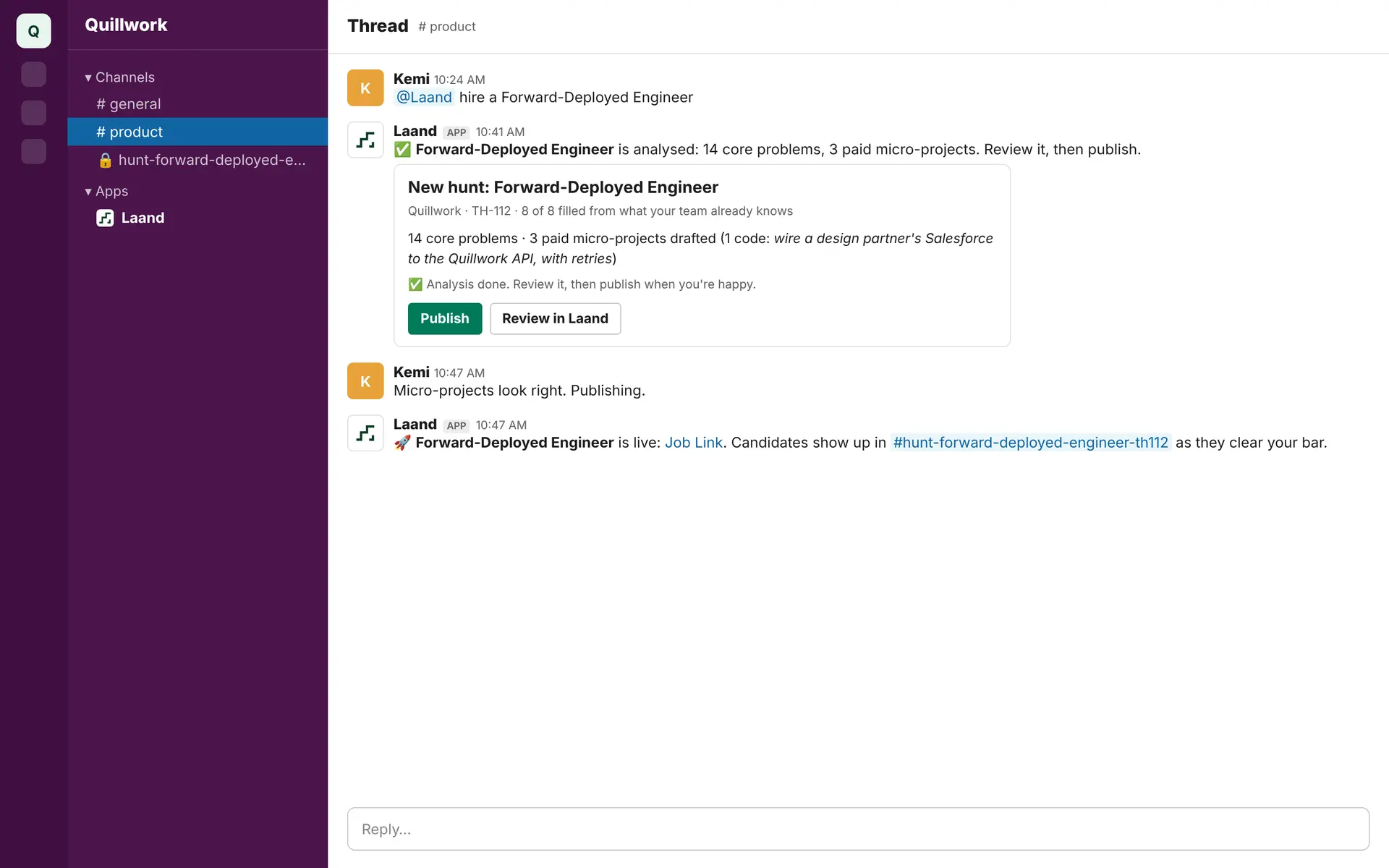
It starts where the hire started
Mention @Laand hire <role> in the thread where your team decided to hire. Laand reads the thread for the problem, the stack, the budget and the urgency.
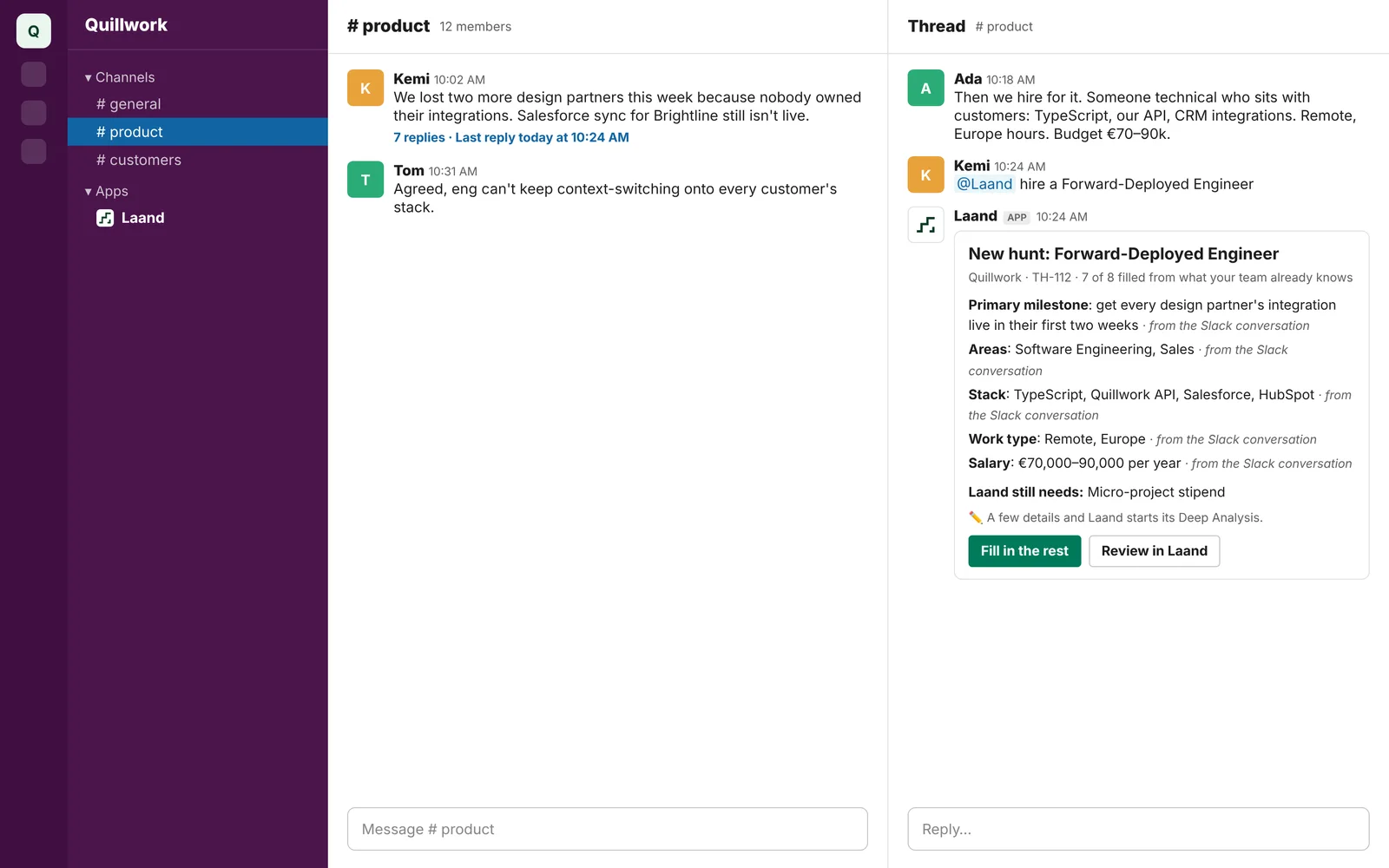
It analyses, then waits for your Publish
Laand fills the rest, runs the Deep Analysis (including hire or agent?), scopes paid micro-projects, and posts a card with a Publish button in the thread.
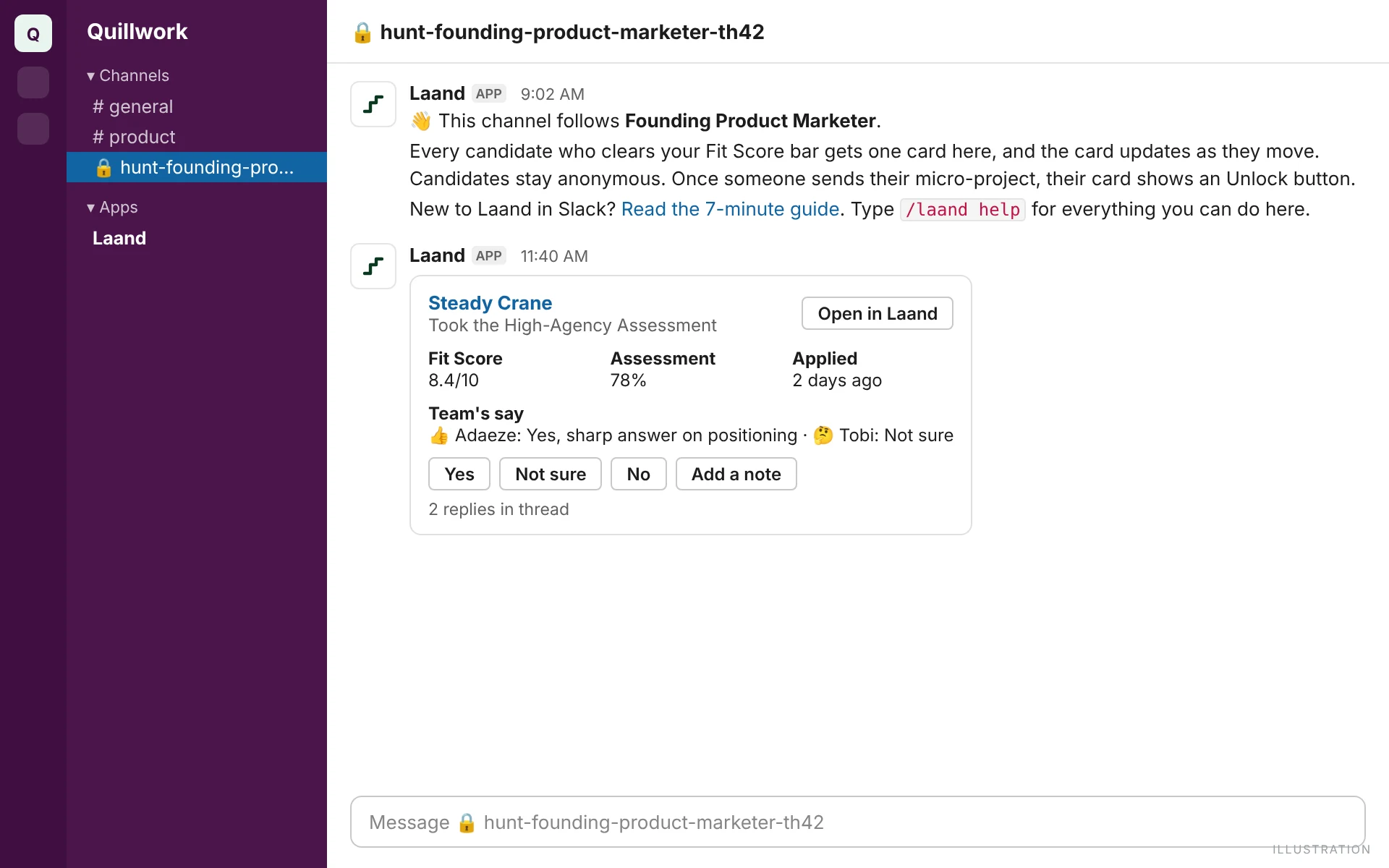
It gives each hunt a private channel
Candidates arrive there as anonymous cards with their scores. Your team decides with buttons.
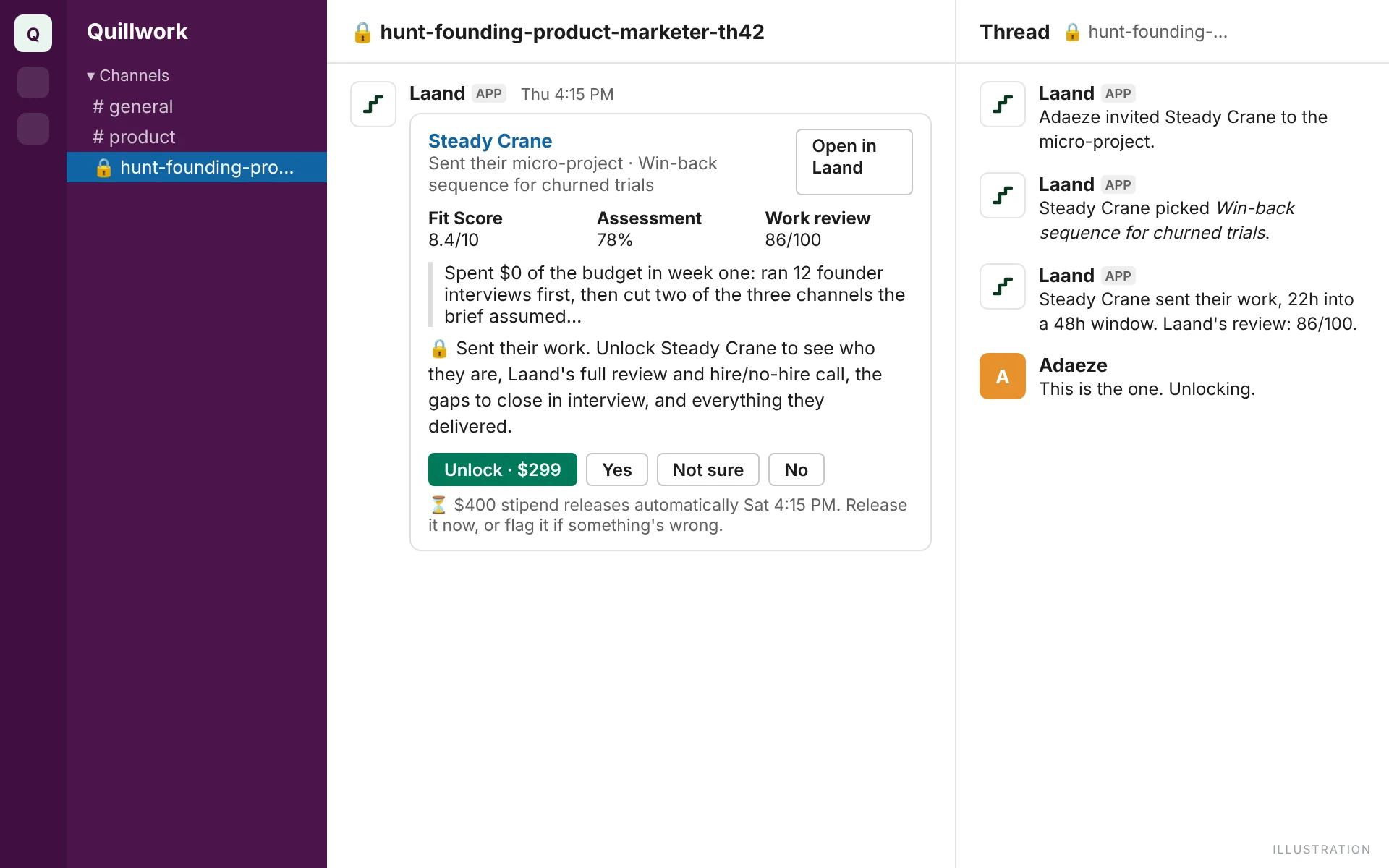
It shows evidence, then lets you unlock
Once a candidate sends their paid micro-project, the card shows the opening of Laand's review and an Unlock button. Unlocking (in Laand, for $750) reveals who they are and their full work. Laand never posts a name in Slack before that.
It answers questions and chases what's stuck
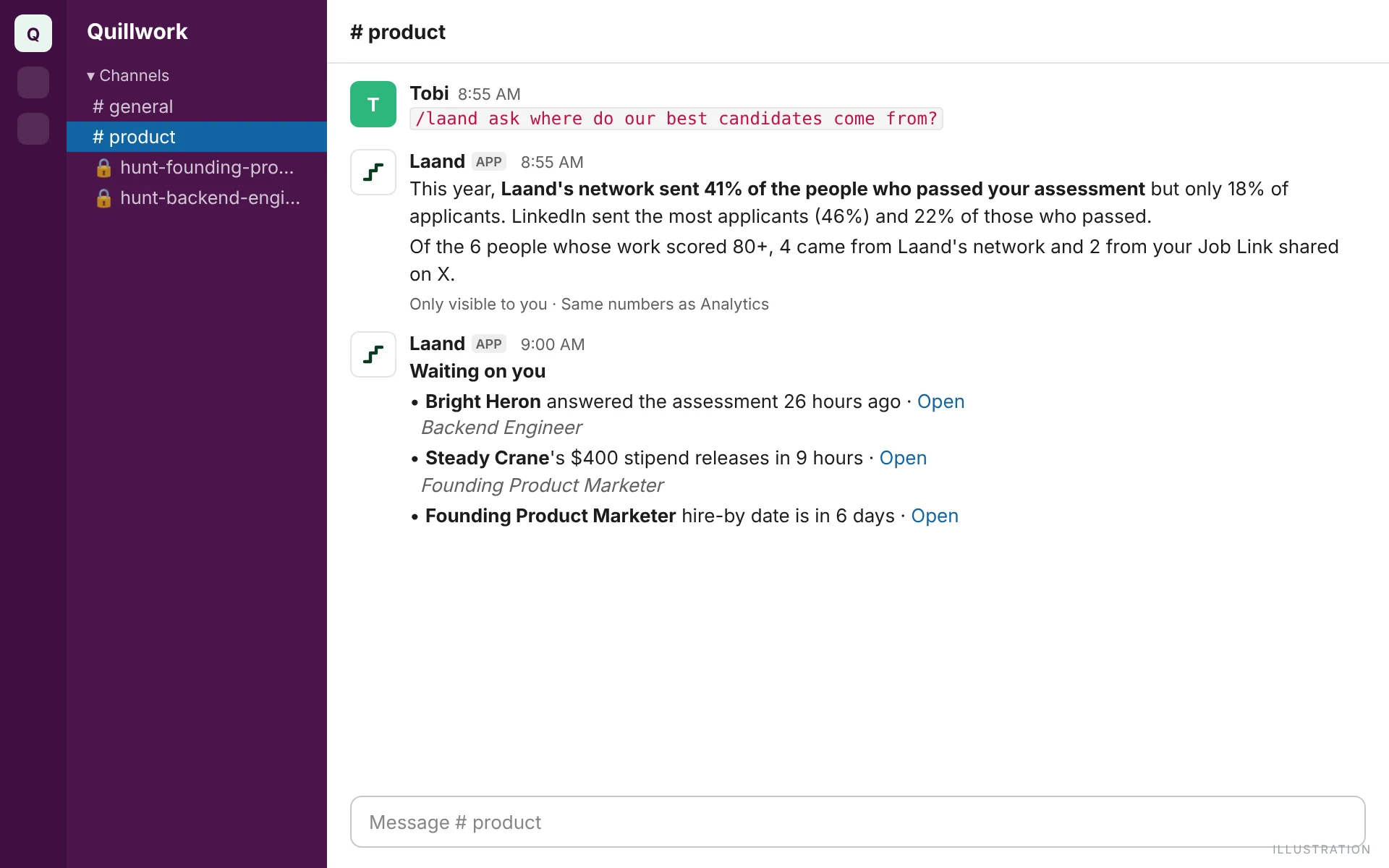
/laand ask answers from your hiring data; /laand status lists your hunts and what's waiting on you.
Security questions to ask any recruiting Slack app
- What does it read? It should read the conversations you bring it into, not trawl your workspace.
- Where is candidate data stored? It should live in the app's secure system, not in Slack messages.
- Who can see candidate cards? Only members of a private channel per role.
- What happens when someone leaves? Removing them from the channel should remove their access.
- Can I disconnect cleanly? Uninstalling should stop all access immediately.
Our Slack guide covers exactly what Laand reads, stores and never does.
Why small teams want the native kind
The connector kind assumes someone lives in the ATS and Slack is the notice board. On a team under twenty, nobody lives in the ATS. Everyone lives in Slack.
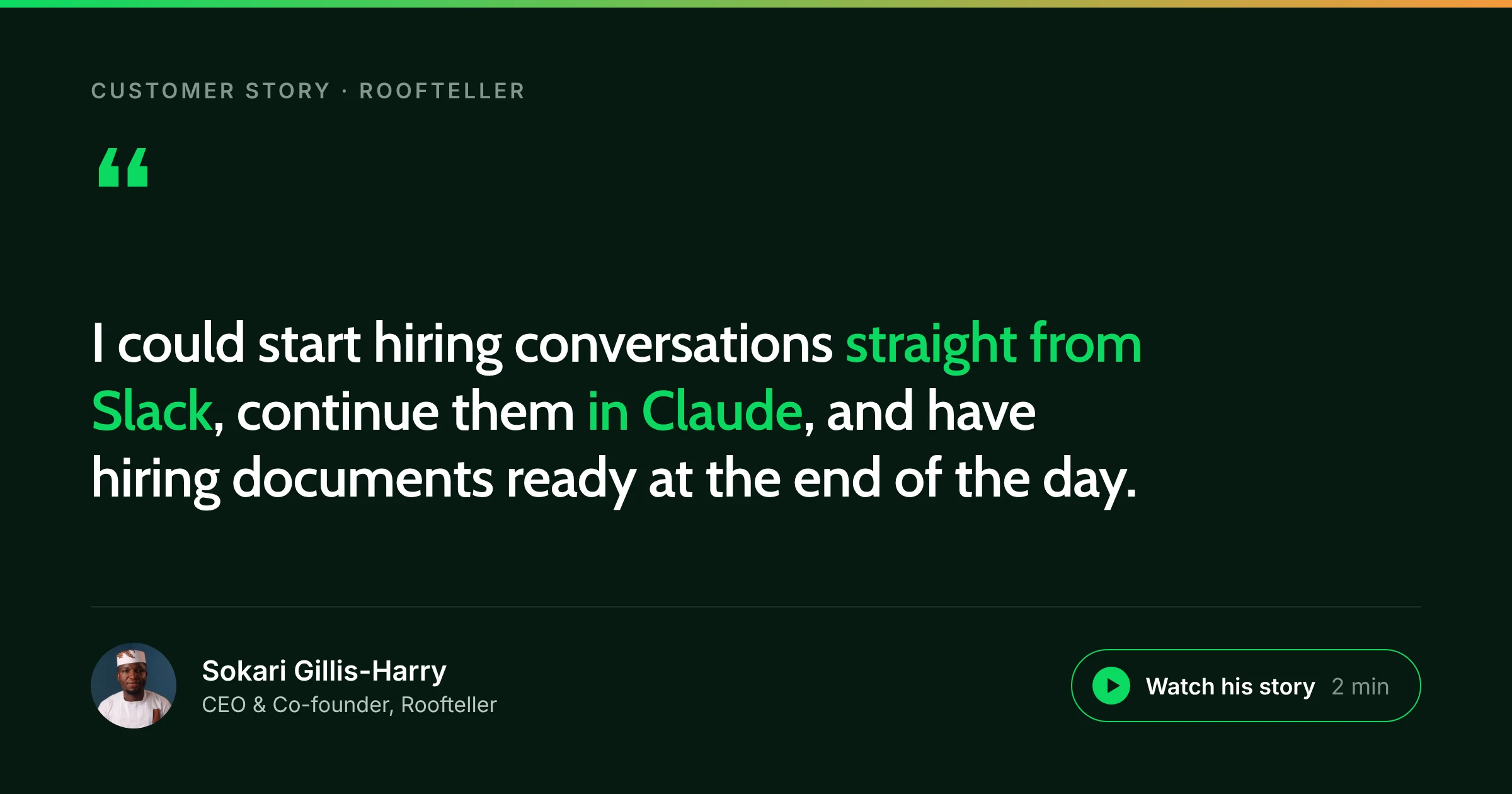
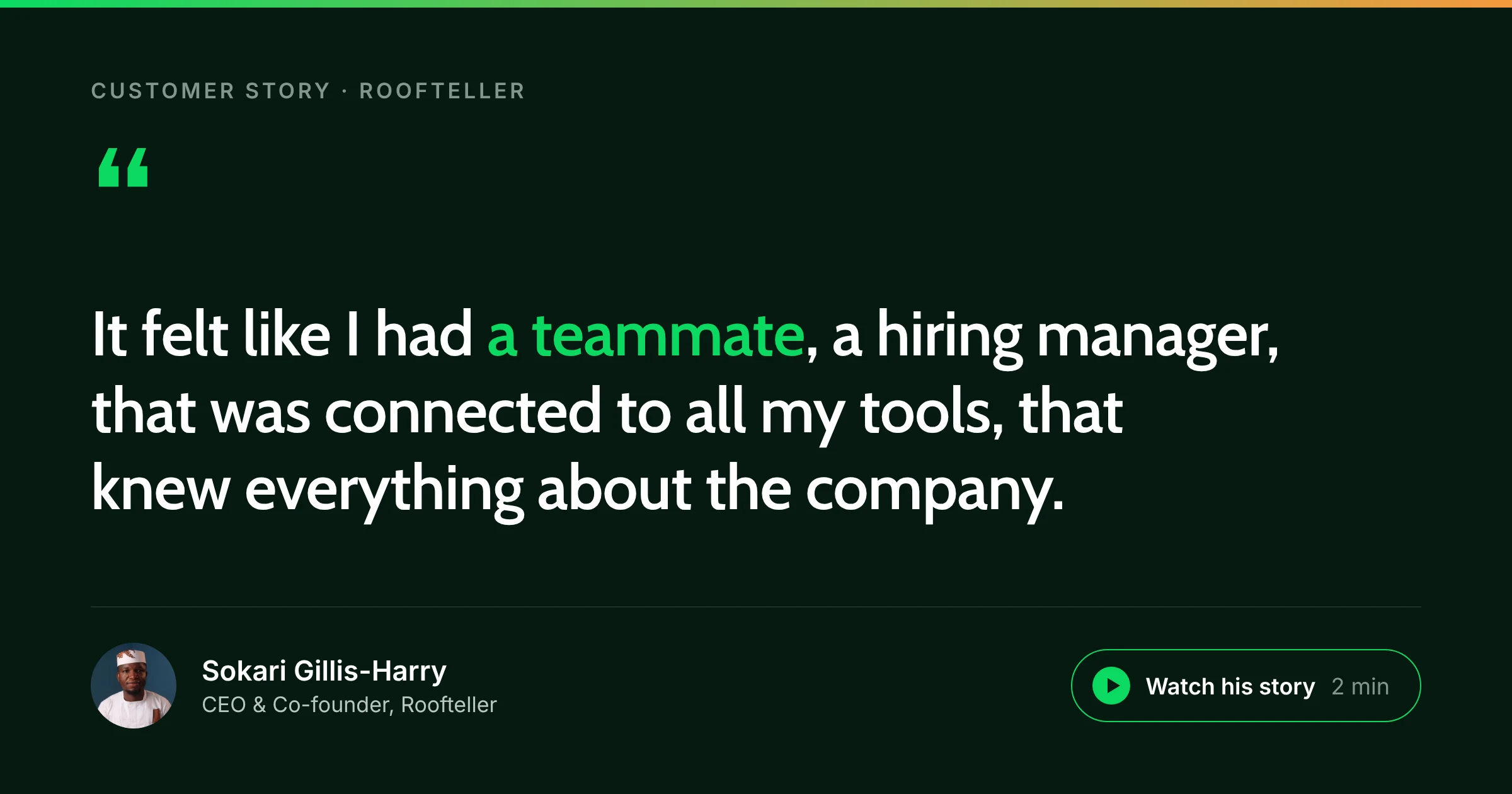
Sokari Gillis-Harry, founder of Roofteller, said it best:
Setting up a recruiting Slack app in ten minutes
Here's what setup looks like with Laand. Other Slack-native apps will be similar; ATS connectors usually need more configuration in the ATS first.
- Create a company account on Laand with your work email.
- Add to Slack from Settings › Integrations, and approve the install in your workspace.
- Check the welcome. Laand sends the installer a DM, and links its Slack guide in your first hunt channel.
- Invite your deciders to Laand so their Slack say is linked to their account. Laand only links a Slack person to a Laand account after they confirm it themselves, never by matching emails.
- Start your first hunt with
@Laand hire <role>in the thread where the role came up.
The channel structure that works
| Channel | Purpose | Who's in it |
|---|---|---|
| The thread where the role started | Starting the hunt, publishing | Whoever was already there |
| A private channel per hunt (created by Laand) | Candidate cards, decisions | The owner and the deciders |
| Your DMs with Laand | Reminders, Waiting on you | Each person |
And the Laand tab in Slack shows live counts for every open role and everything waiting on you. Two minutes on a Monday morning keeps the pipeline moving.
What to do in Slack, and what in the dashboard
| Do it in Slack | Do it in Laand (Slack gives you the link) |
|---|---|
| Start a hunt from a thread | Pay to unlock a candidate |
| Fill in what Laand couldn't find | Invite someone to paid work on a stipend role |
| Publish | Mark the hire |
| List and adjust micro-projects; add your own | Read the full work and review after unlock |
| Say Yes, Not sure or No on candidates | Manage team seats and roles |
Ask questions with /laand ask | Connect Google Drive and GitHub |
That split is deliberate: anything that moves money or reveals a person happens where it can be confirmed properly.
Five signs your recruiting Slack app is working
- Nobody asks "where are we on that hire?" in a DM.
- Every candidate in the channel has a decision on it within two days.
- You haven't opened a separate hiring tab this week.
- No candidate's name has appeared in Slack before you chose to unlock them.
- The person you hired was judged on work your team actually saw.
Slack-native hiring for each person on the team
| Person | What they do in Slack |
|---|---|
| Founder or hiring owner | Starts hunts from threads, publishes, follows the Laand tab, unlocks the one the team chose |
| Engineers and other deciders | Read cards in the hunt channel, say Yes, Not sure or No with a note |
| Ops or people lead | Asks /laand ask and /laand status, chases what's waiting |
| Anyone with an idea for the paid work | Adds a micro-project with /laand project |
Nobody needs to learn a new tool. The people who'd never log into an ATS are the ones whose judgment you most need, and they're already in Slack.
Key takeaways
- Most recruiting Slack apps are ATS connectors; Slack-native apps run the hire in Slack.
- Check for thread-based starts, private channels per role, anonymous cards and decision buttons.
- Money and identity actions should happen where they can be confirmed, with Slack linking there.
- Laand's Slack app is free to install; you pay $750 per talent you unlock.
Frequently asked questions
What is the best recruiting Slack app for small teams?
For teams without a recruiter, a Slack-native hiring app that lets you start a hire from a thread, keep candidates anonymous in private channels and decide with buttons. Laand is built for this. If you already use an ATS, its Slack connector is useful for notifications.
Does Greenhouse or Ashby work in Slack?
Both offer Slack integrations that send updates and reminders into Slack. The hiring itself still happens in their apps.
Can I keep candidate information private in Slack?
Yes, with a private channel per role and an app that doesn't post personal details. Laand keeps candidates anonymous in Slack until you unlock them.
How much does a recruiting Slack app cost?
ATS Slack apps usually come with the ATS subscription. Laand's Slack app is free to install and publish with; you pay $750 per talent you unlock.
Can candidates see our Slack?
No. Candidates never join your workspace. They apply and do their work through Laand, and your team sees them as anonymous cards in a private channel.
Does a recruiting Slack app replace an ATS?
A Slack-native hiring app like Laand can replace the ATS for small teams, because it runs the hire from start to decision. ATS connector apps don't replace anything; they extend the ATS into Slack.
What happens if we uninstall the Slack app?
With Laand, disconnecting in Settings › Integrations uninstalls it from your Slack and deletes its token. Your hunts and candidates stay in Laand.
Does Laand's Slack app work with Slack Connect or shared channels?
Hunt channels are private channels in your own workspace, created for each hunt, so candidates and outside parties never see them. Keep hiring discussion out of shared channels with other companies.
Can I use a recruiting Slack app without paying for an ATS?
Yes. Laand's Slack app needs no ATS: it starts, runs and decides the hire with your team in Slack, and keeps candidates' work and data in Laand. Installing it and publishing hunts are free; you pay $750 only for each person you choose to unlock.
Keep reading
Or add Laand to Slack and start your next hire from a thread.
Stop applying blind.
Laand scores your fit for any role, then builds the application kit that proves you can do the job.
Join LaandAdd a Slack app that runs the hire
Start a hunt with @Laand in any thread, review anonymous candidates in a private channel, and unlock the one you want. Free to publish; $750 per talent you unlock.
Add Laand to Slack